
Accessing New Reports in Alaris Admin App
Overview: This article will provide step-by-step instructions to accessing the new reporting system in the Alaris Staff Web Portal.
Step-by-step Instructions:
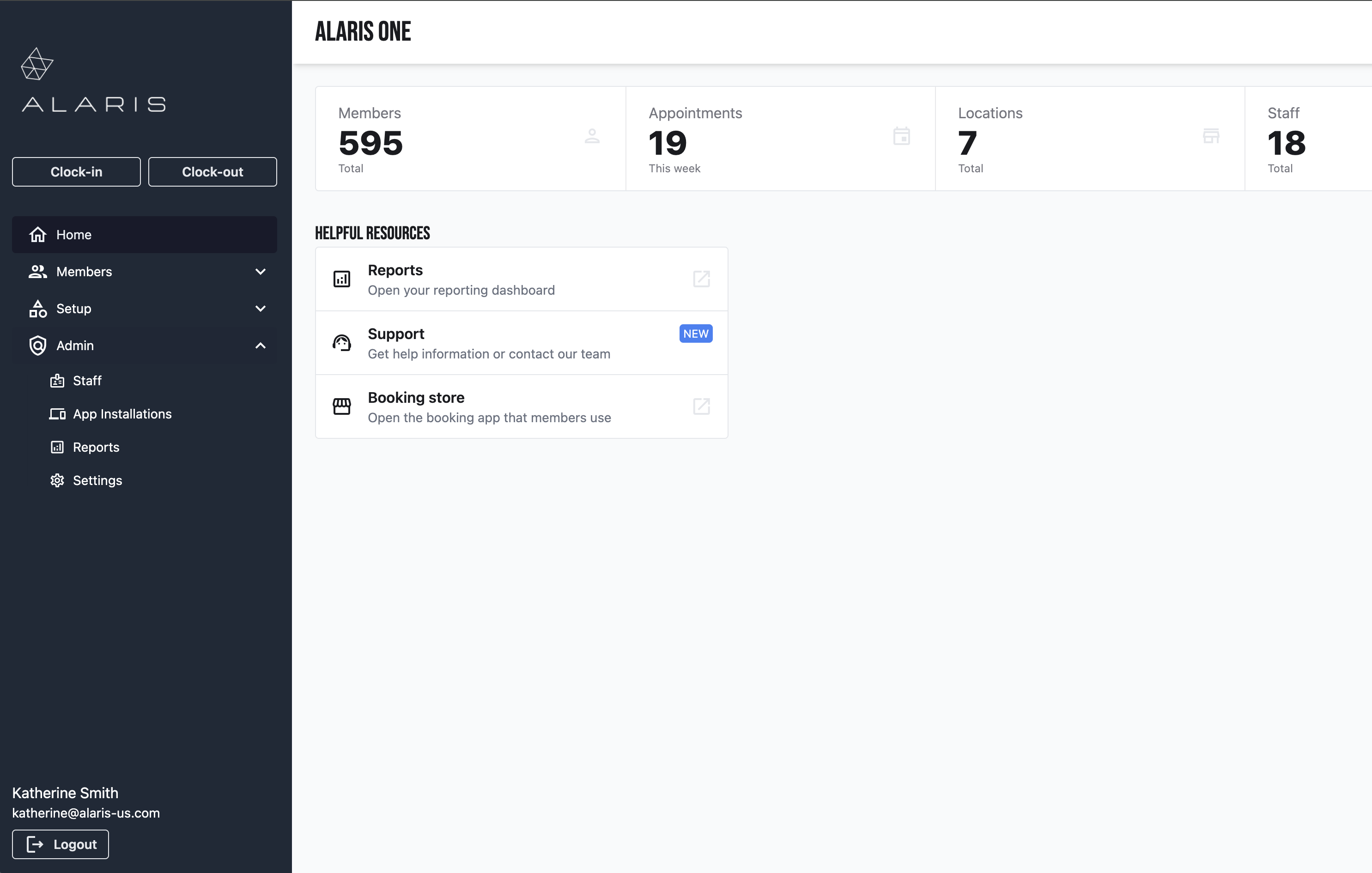
- First, you will log in to the Alaris Admin App.
- Next, you will select the Admin drop down menu.
- Then, select Reports.
- Your reporting options will appear here. Each report pulls in different information for your organization.
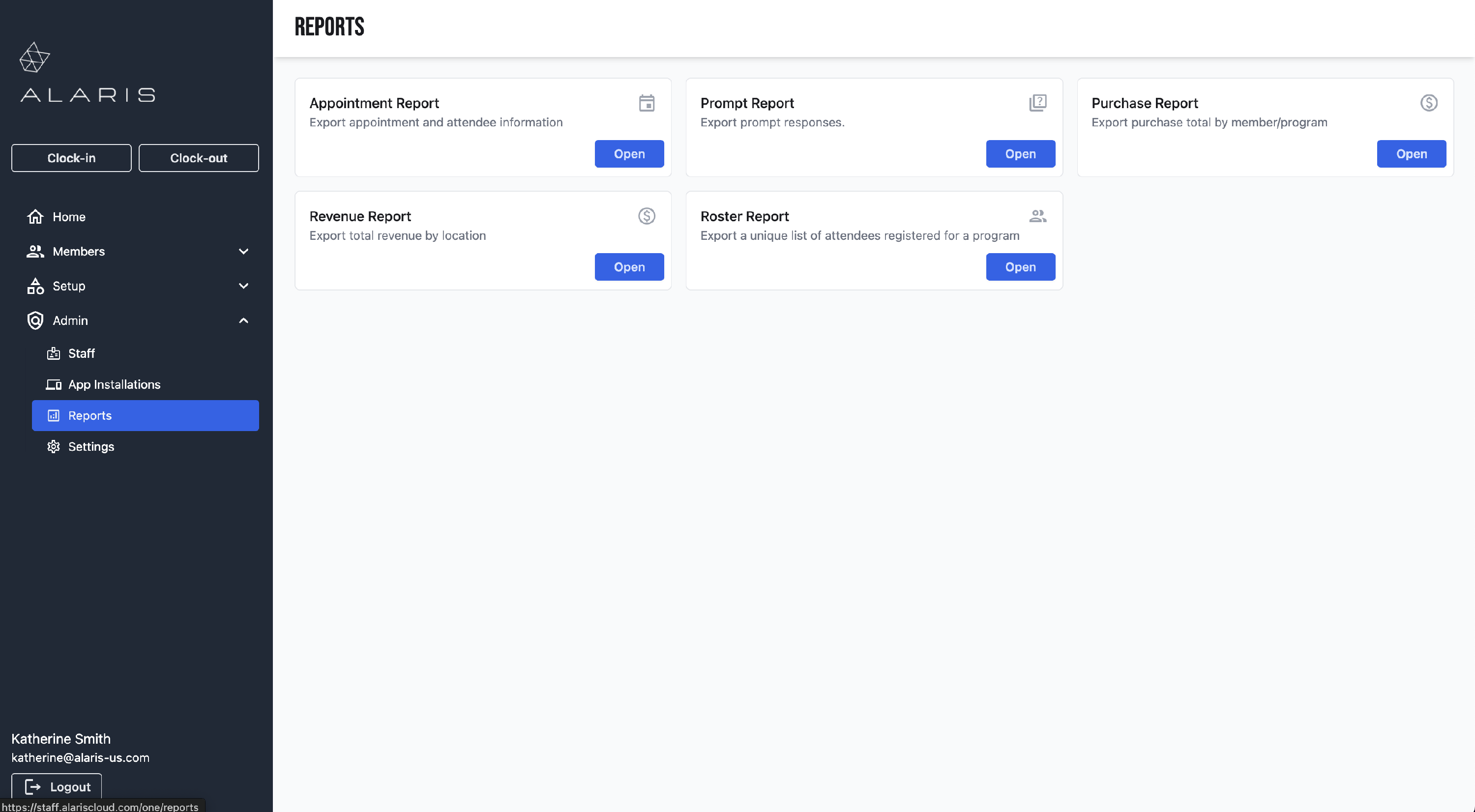
Appointment Report: Export appointment and attendee information
Prompt Report: Export prompt responses.
Purchase Report: Export purchase total by member/program
Revenue Report: Export total revenue by location
Roster Report: Export a unique list of attendees registered for a program
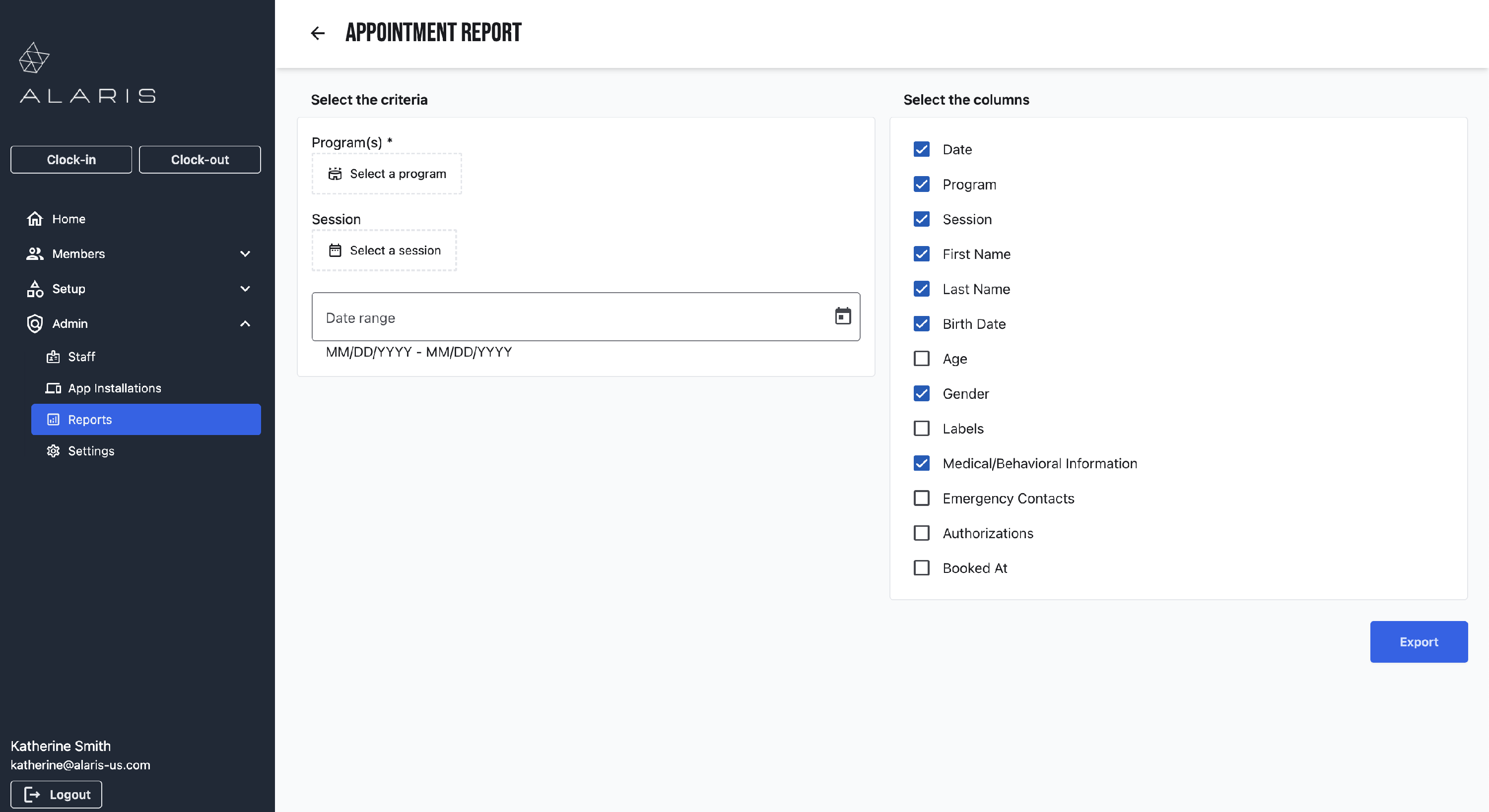
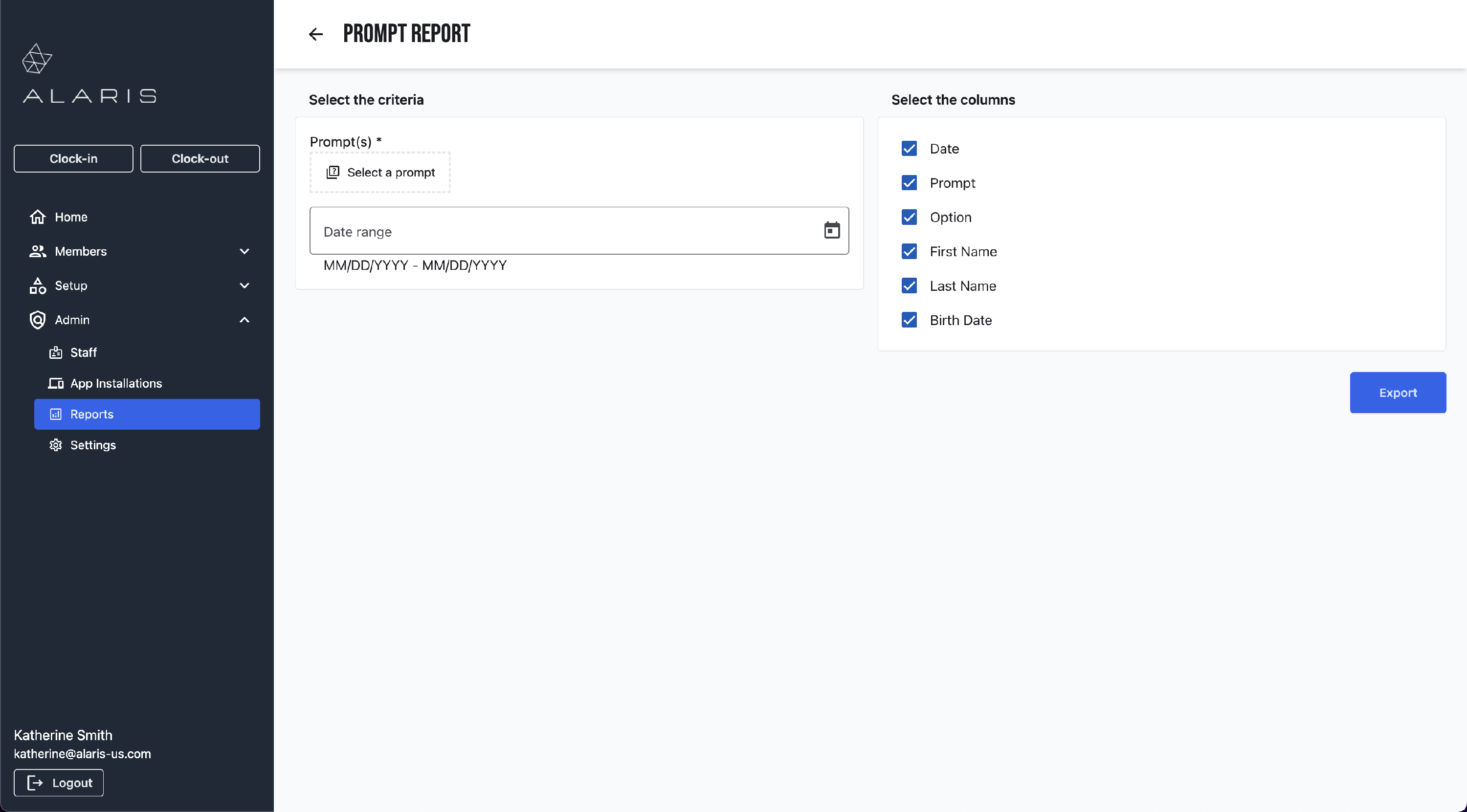
- Select the report that you want to open. Select Open.
- Here, you can filter the report to your needs. They can be filtered by specific details and by date.
Need more help? Try this: More Information on Reports