
Move Area in the Alaris Staff App
Overview: This article will demonstrate how to move a child to a different Area in the Alaris Staff App.
Step-by-Step Instructions:
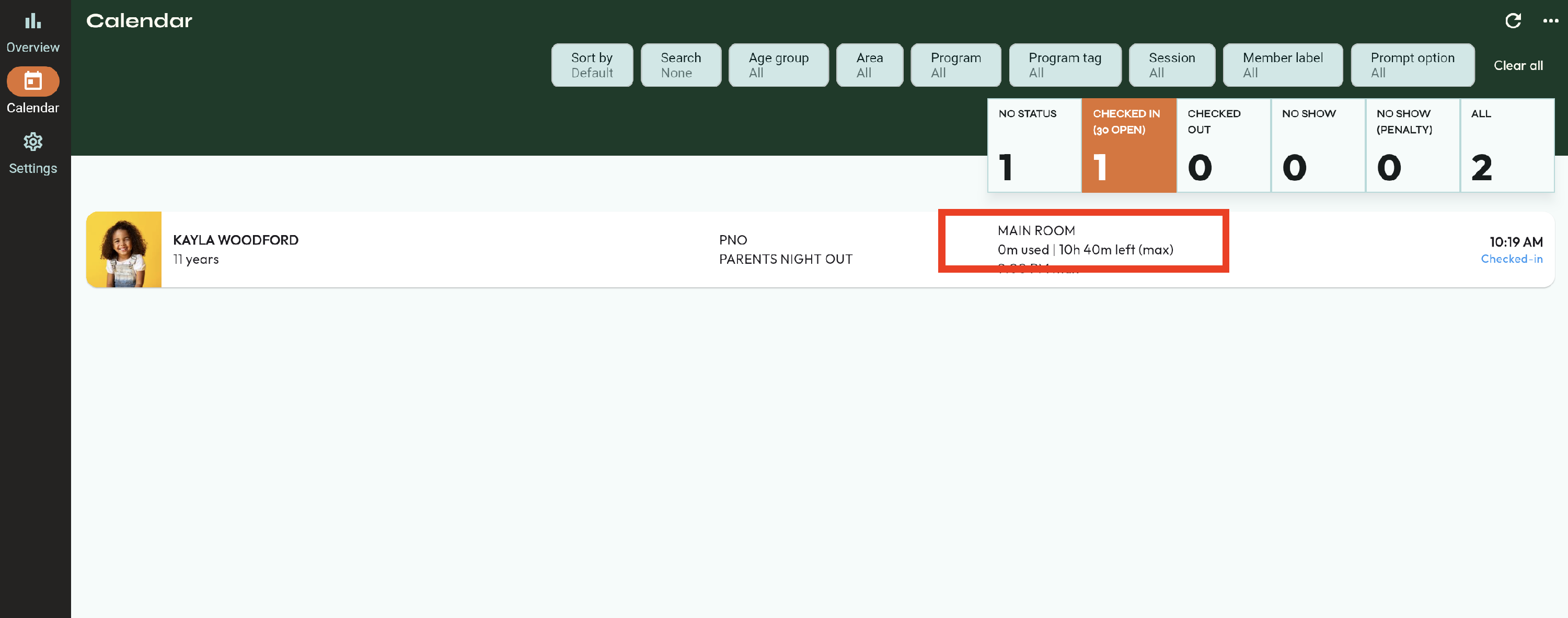
- Find the child who you want to move to a different area. To the right, you can see the area they are currently in.
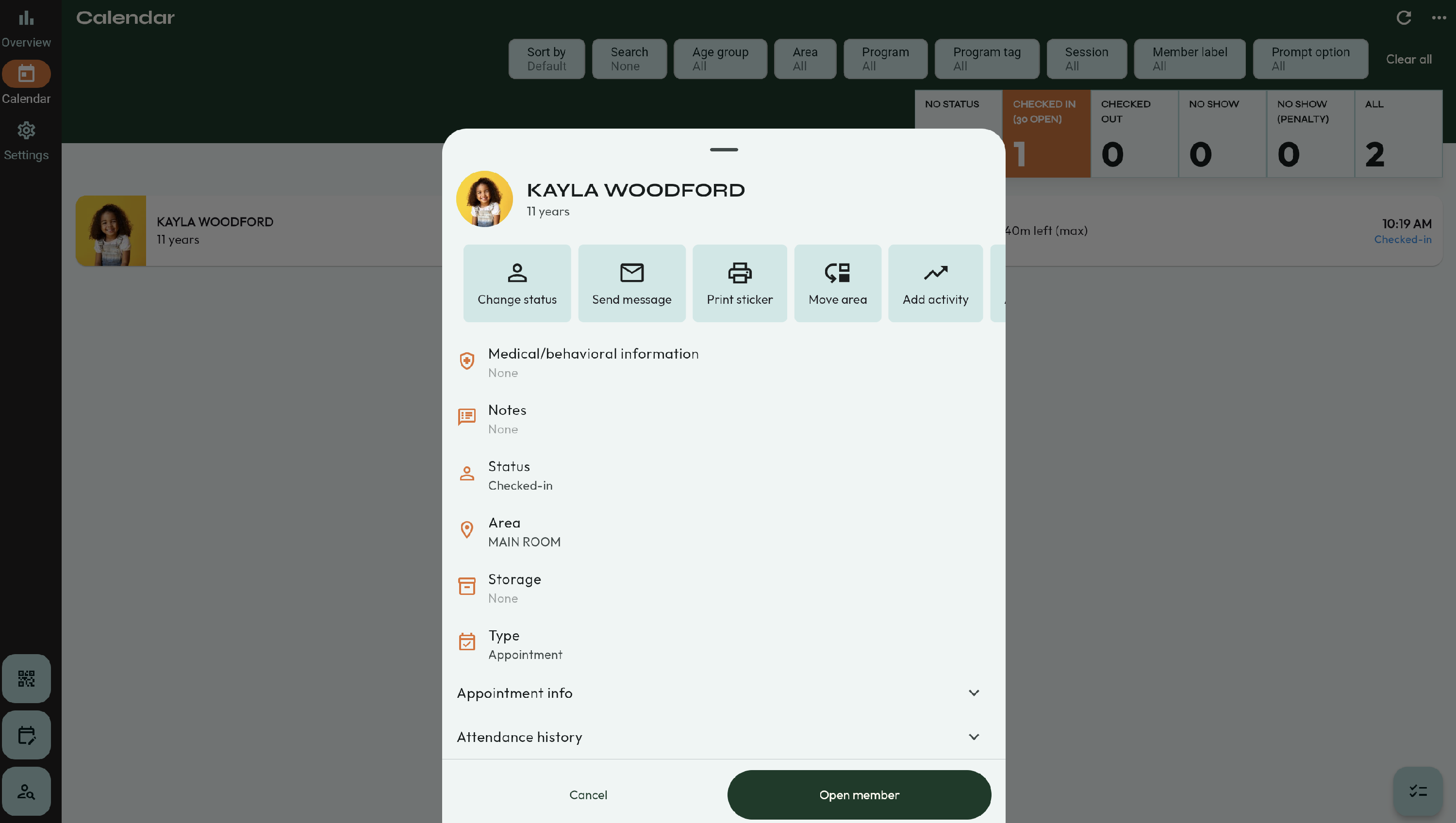
- Select their icon. Then, click Move Area.
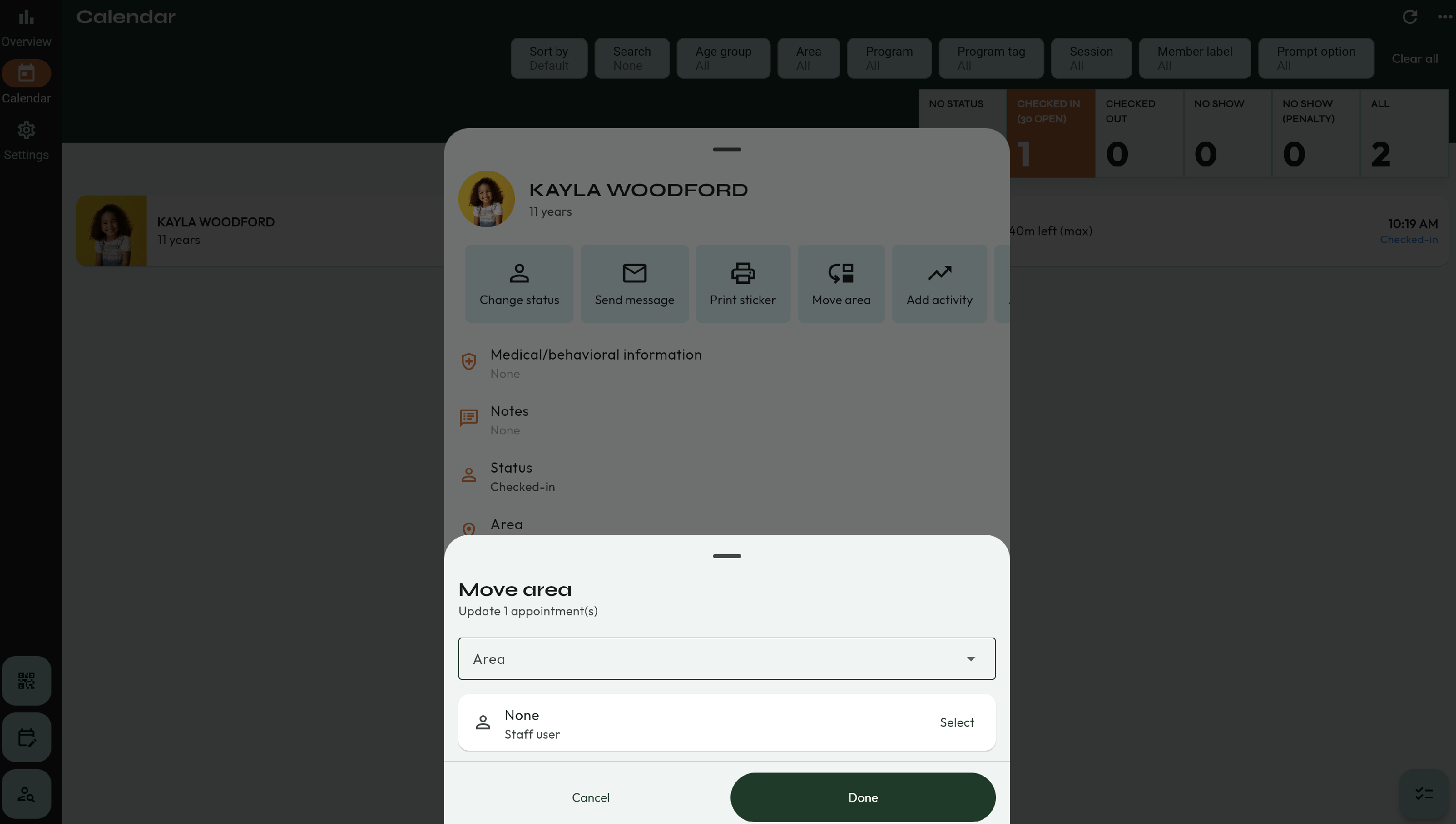
- A new window will appear. Here, you will be able to select the Area you are moving them to, and the staff member who is making this change.
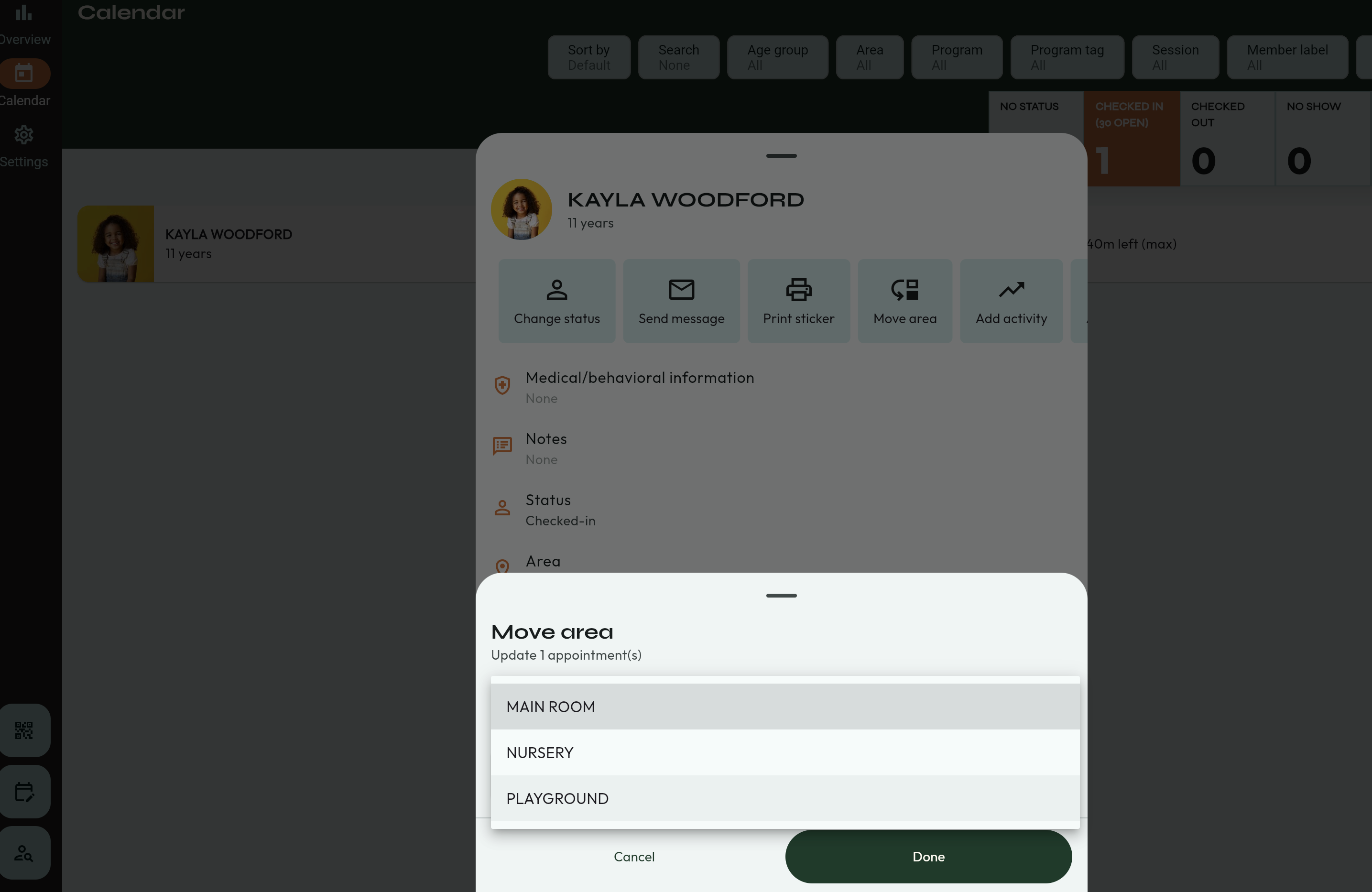
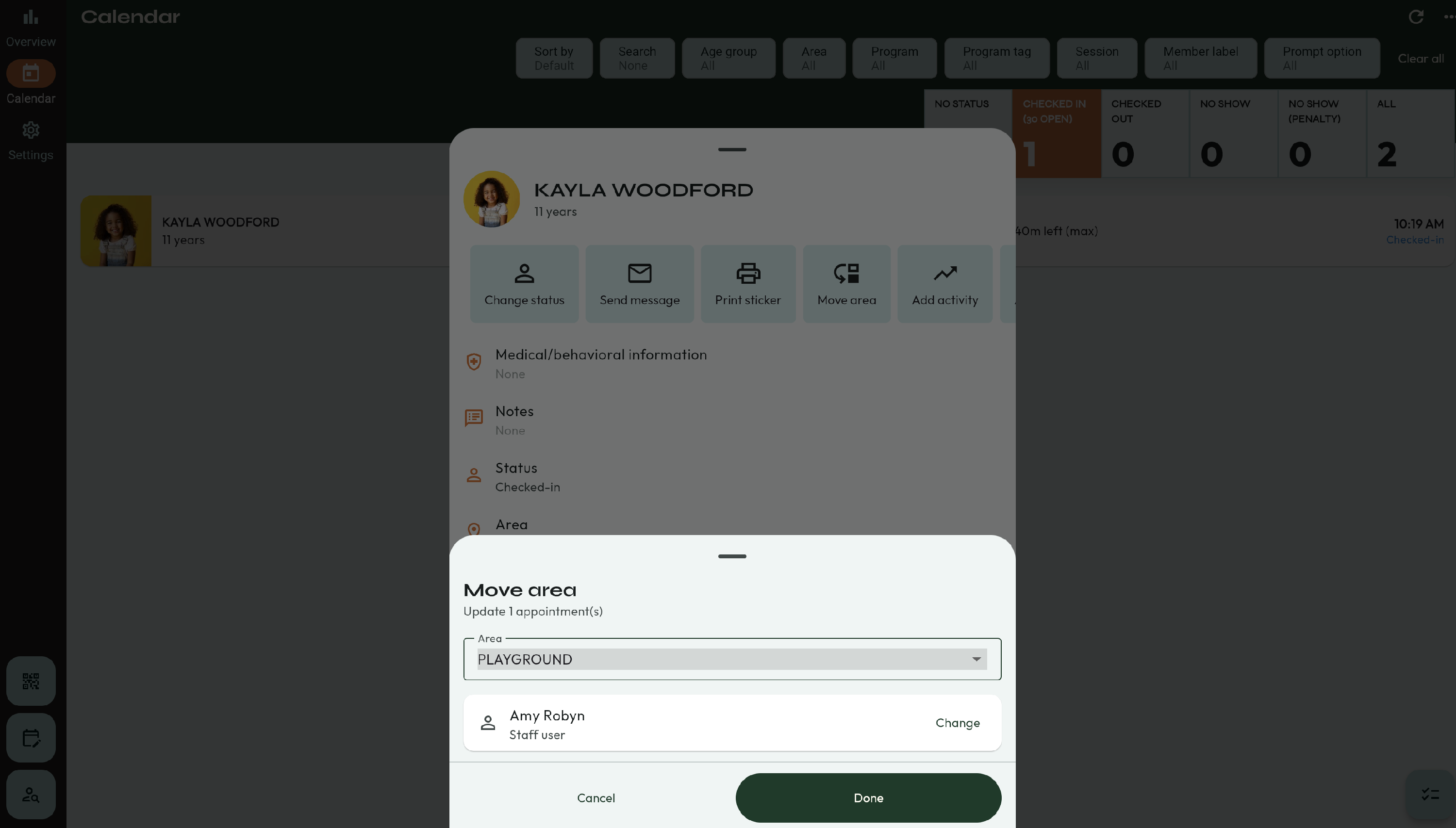
- Press Done when you are finished.
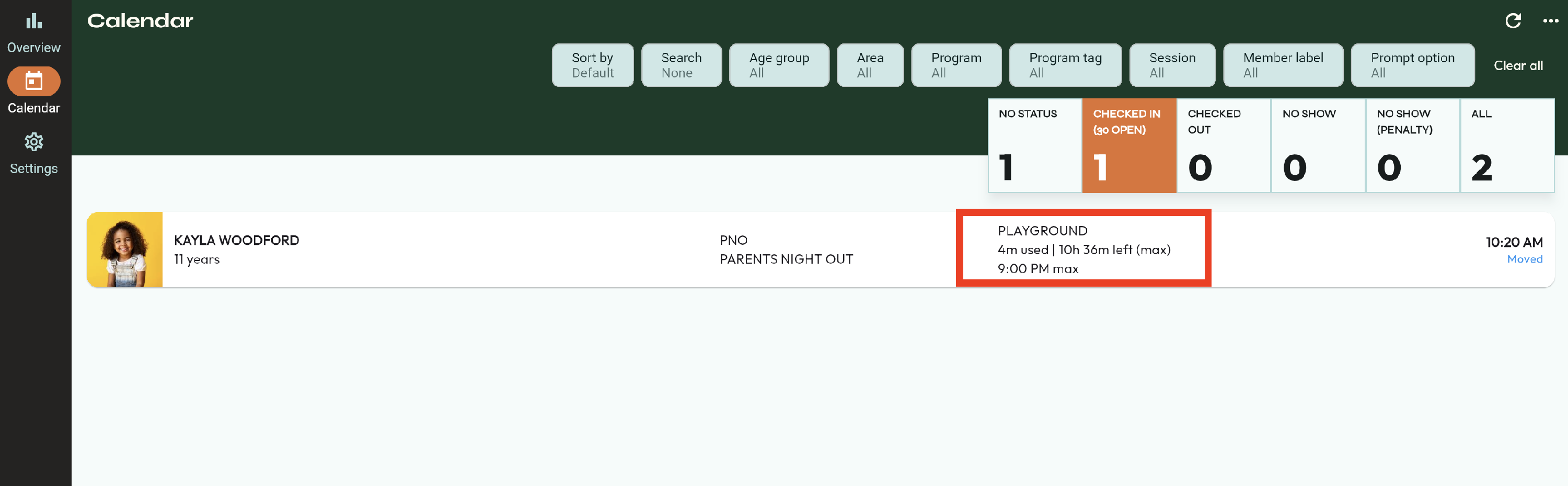
- Now, the child will be listed in the new Area.
- That's it! 🥳