
Age Based Printing Rules
Overview: This article will provide instructions on how to use Age Based Printing Rules for the new Alaris Apps.
Step-by-Step Instructions:
- Log in to the Alaris Admin Portal.
- Select Admin in the table to the left. Then, from the drop down, select App Installations.
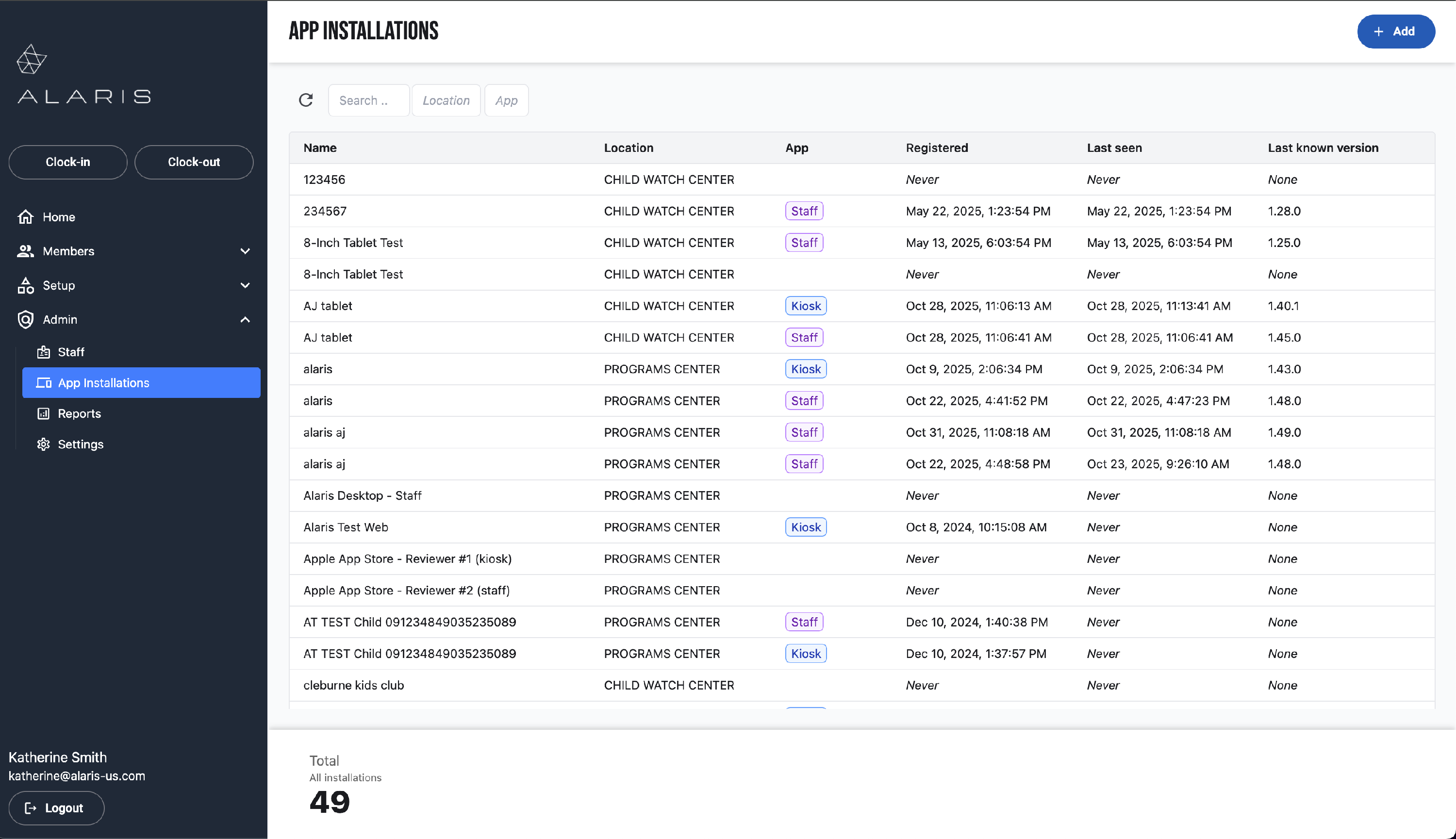
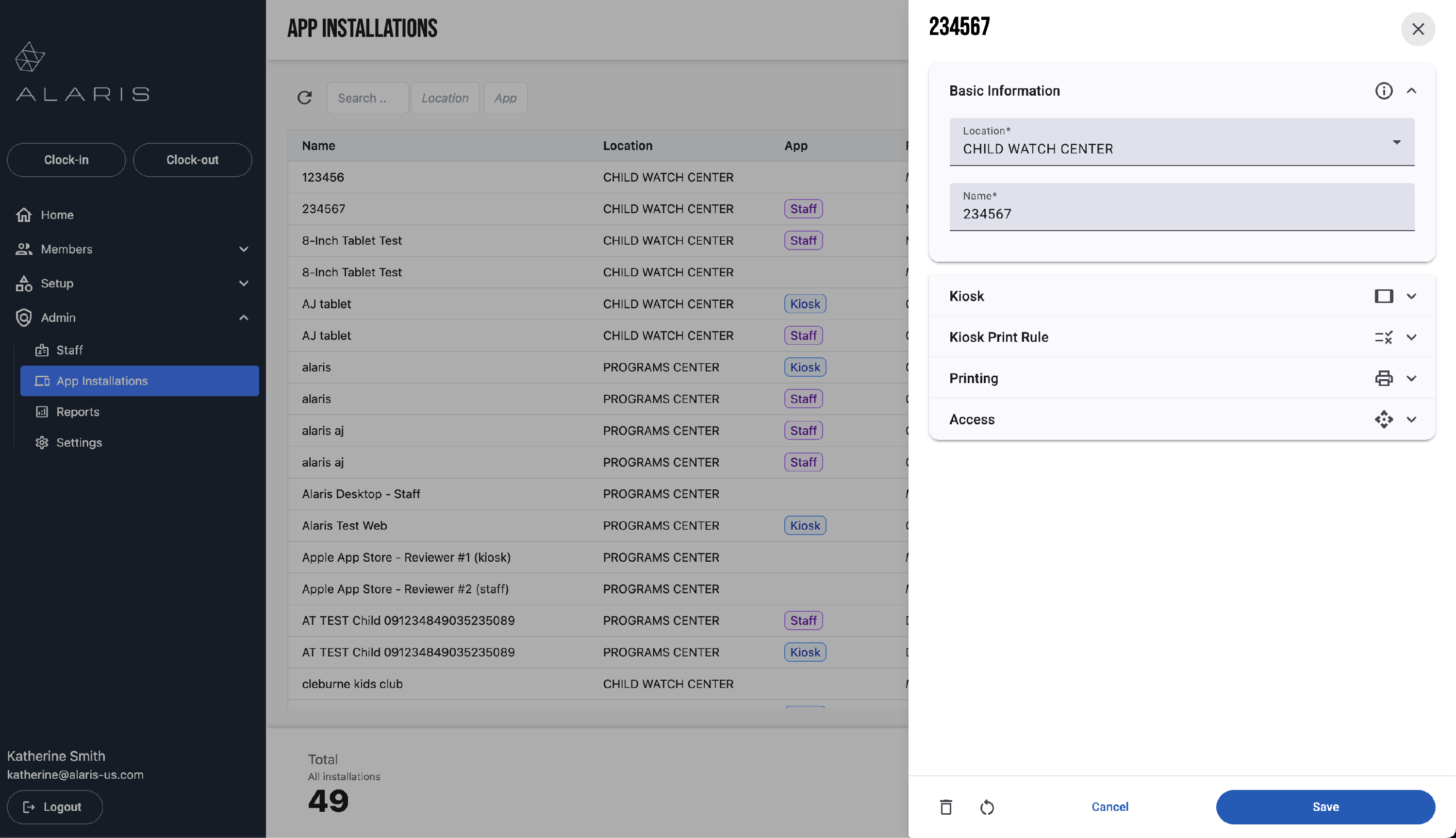
- Open the App Installation you need to make changes to.
- To add Age Based Printing Rules, select Kiosk Print Rule.
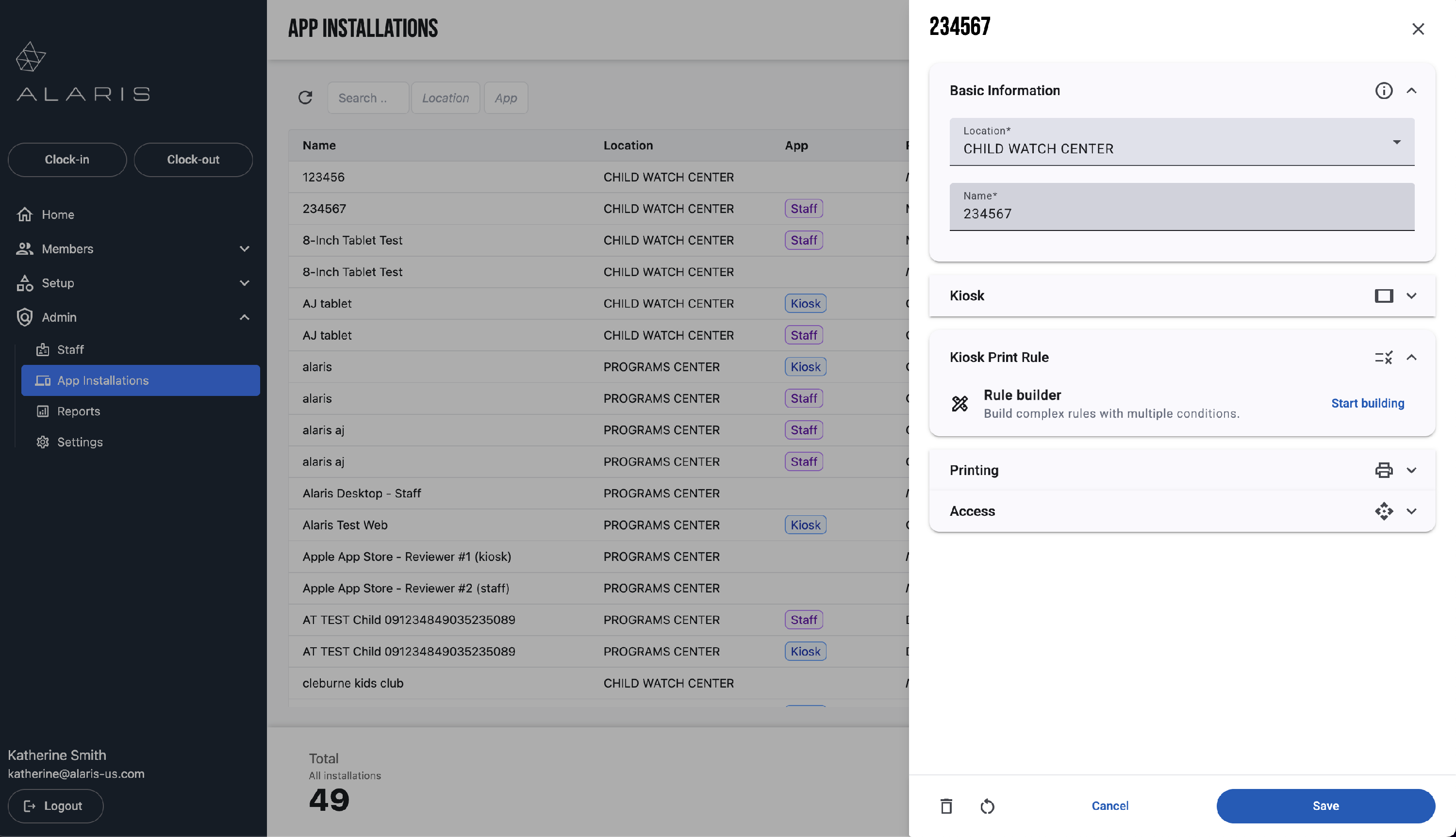
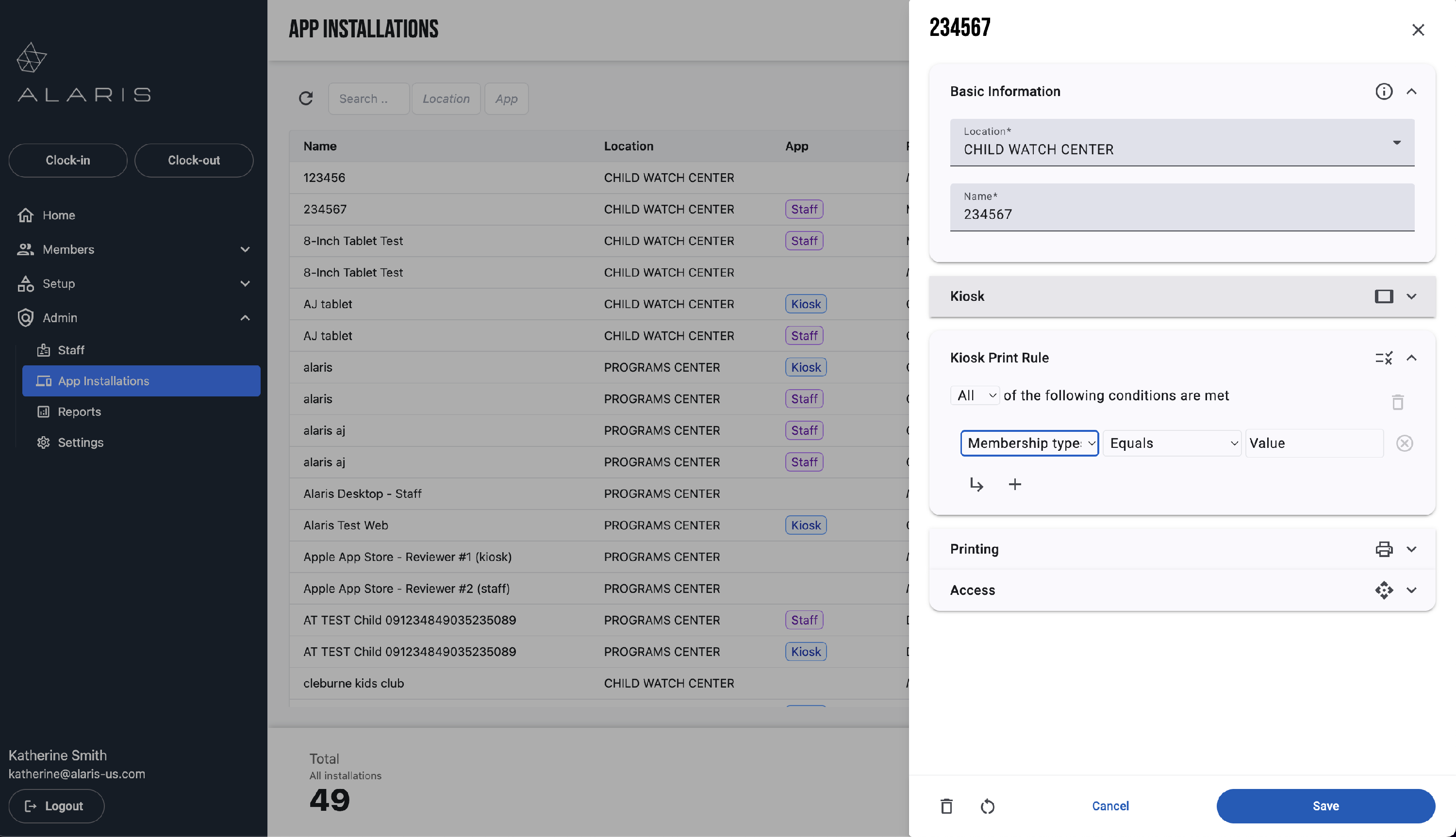
- Here, you will build the Rule that will determine when a sticker prints.
- There are many different options. For this example, I am going to restrict it by the Attendee Age in Years.
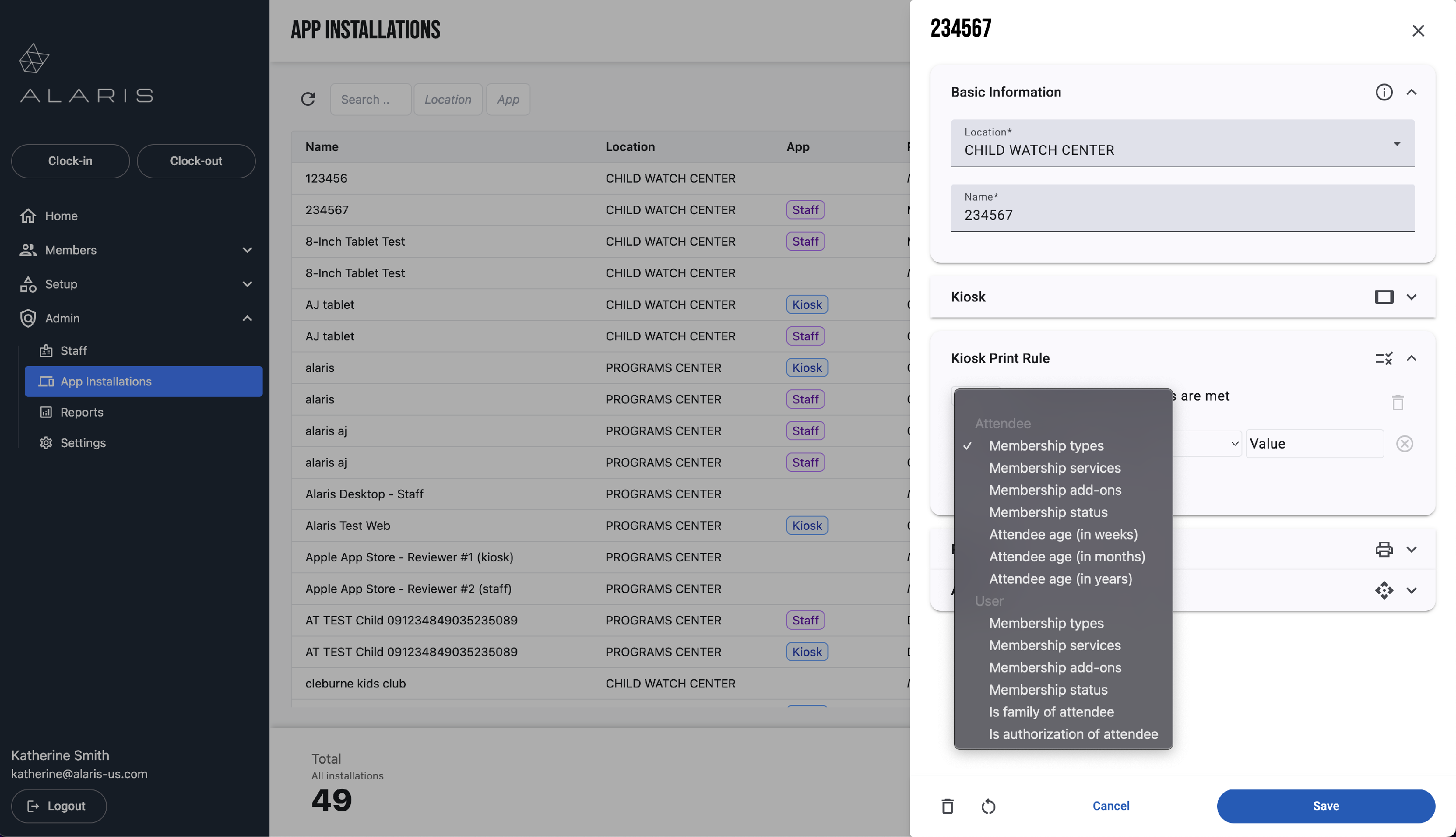
- I do not want children over 4 years old to have a sticker print for them. I only want stickers to print for children who are under the age of 4. So, I am setting the rule to Attendee Age in Years is Less Than 4.
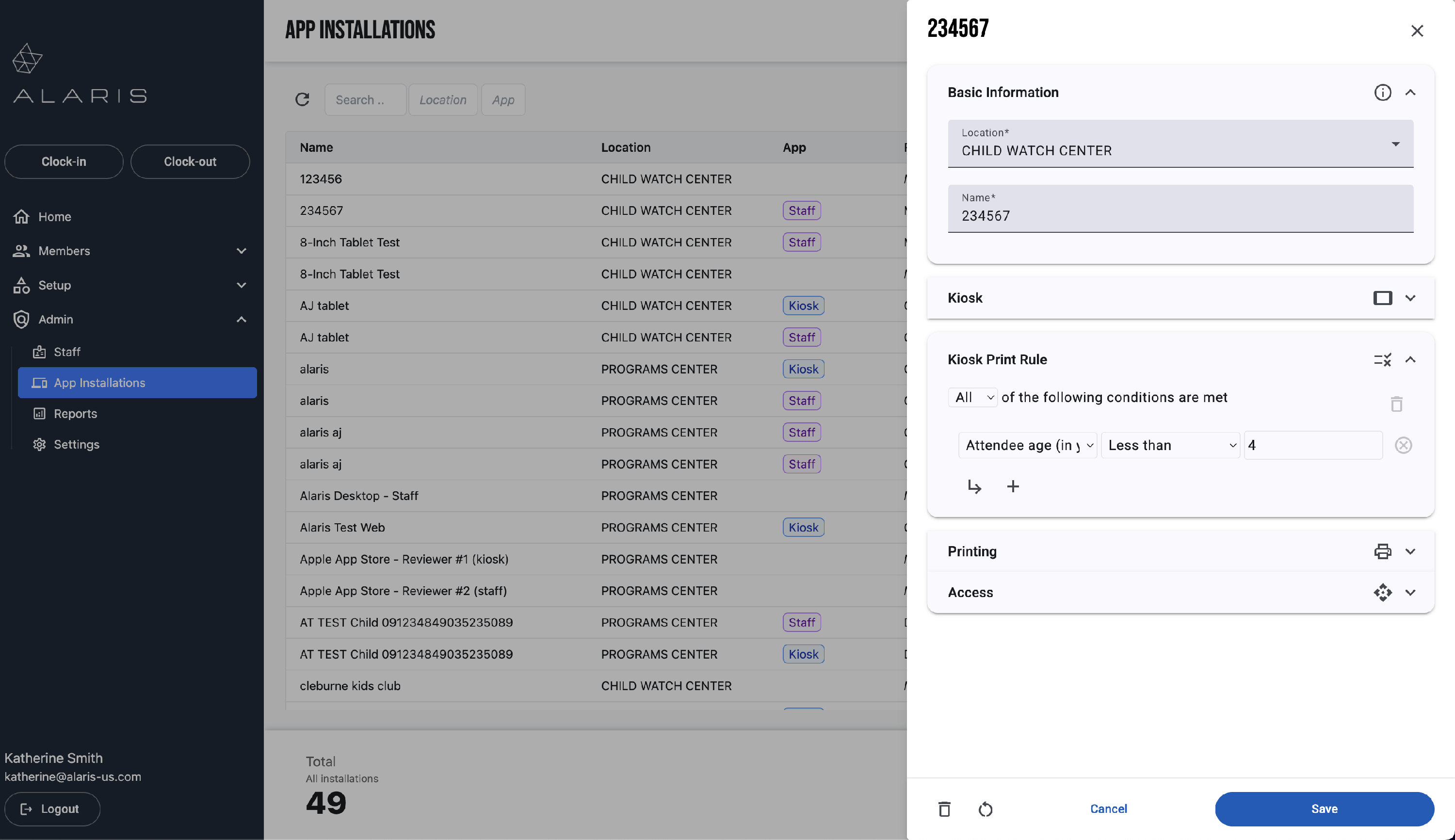
- You can adjust this to any age necessary! If you have questions, please contact Alaris Support.