
Create a Staff Pin Number
Overview: This article will provide step-by-step instructions on how to create a Staff Pin Number in the Alaris Staff Web Portal.
Step-by-Step Instructions:
- Log in to the Alaris Staff Web Portal for your organization.
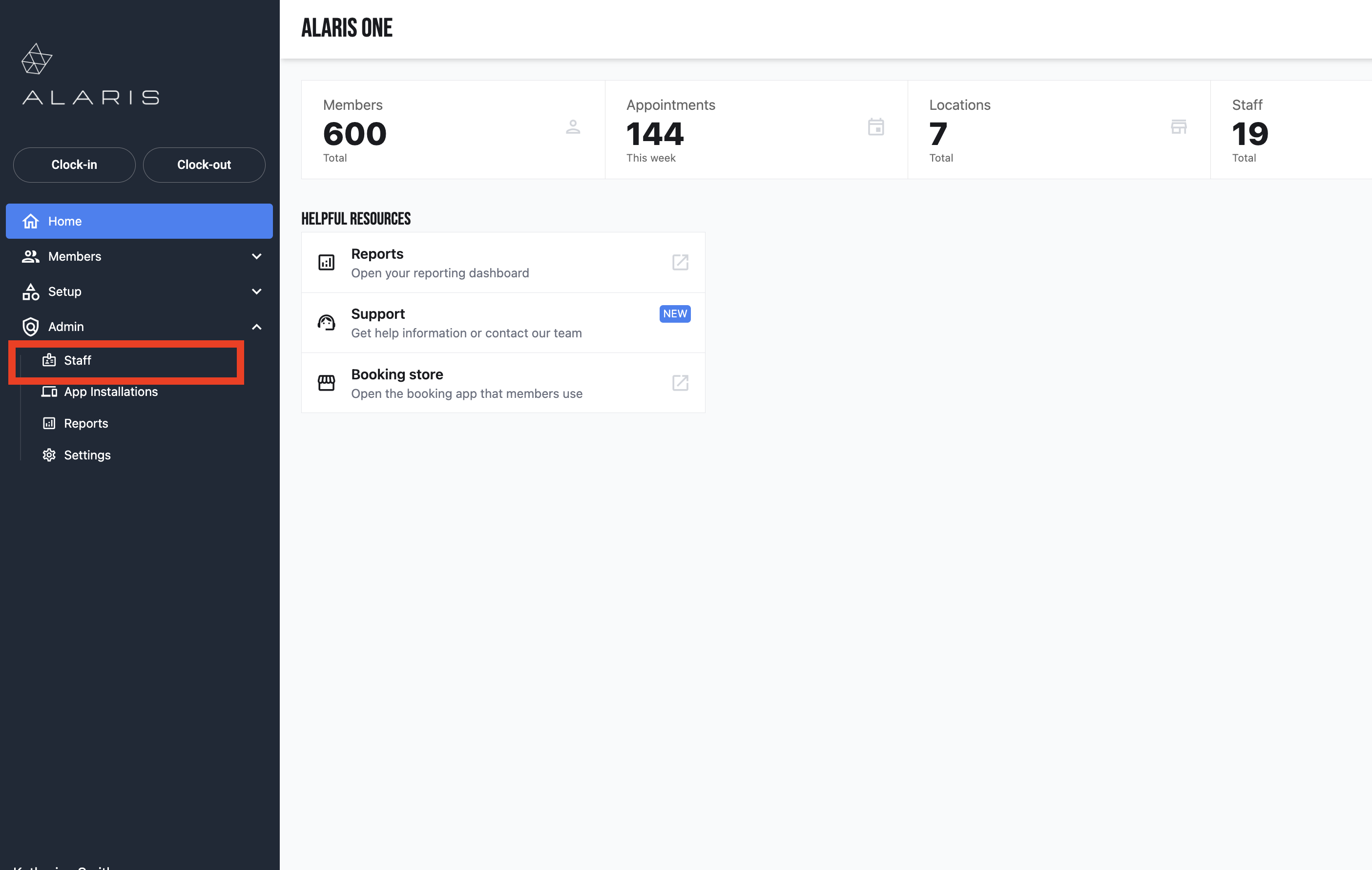
- Select Admin on the left. Then, select Staff.
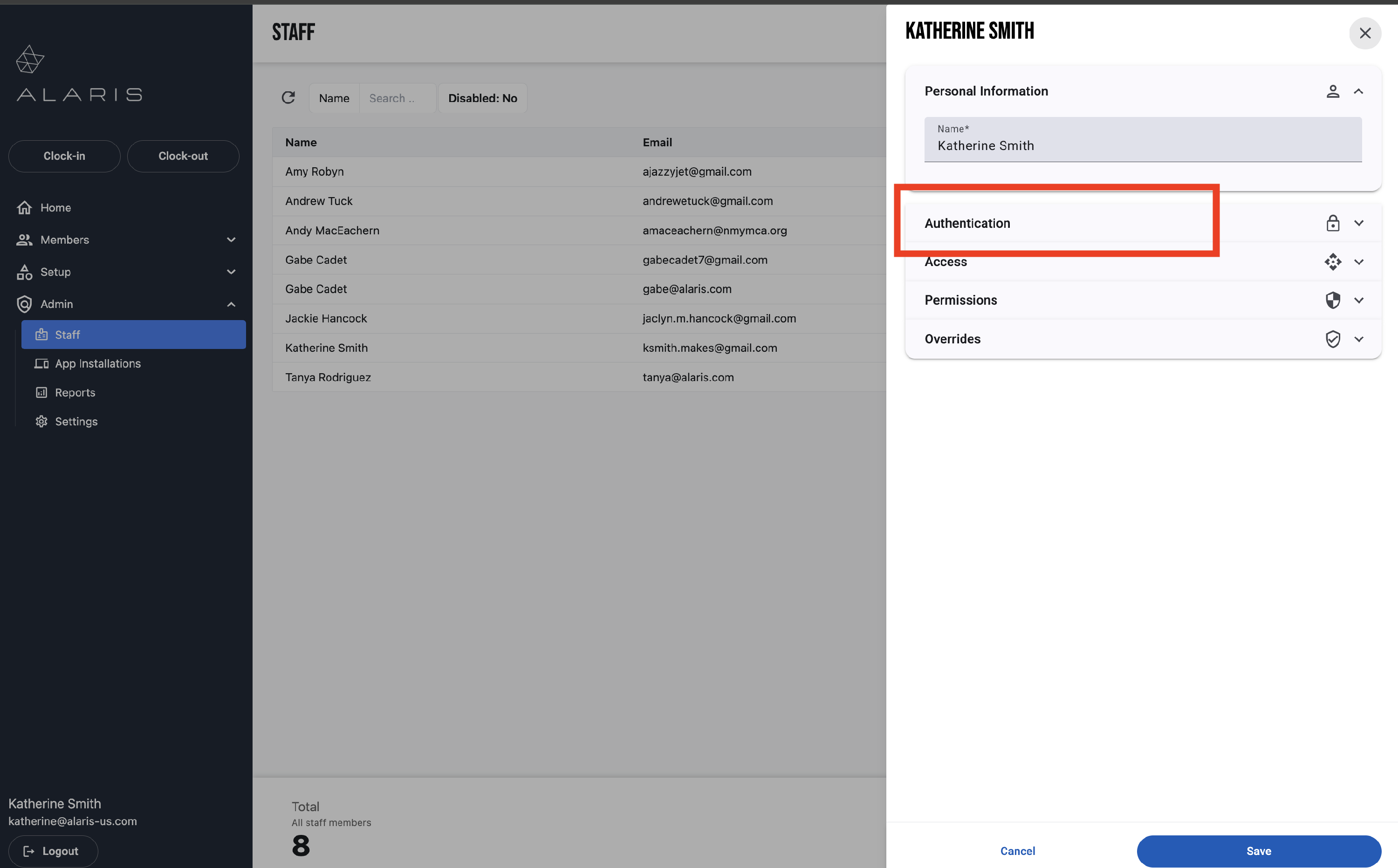
- Then, find the Staff member whose PIN who you would like to update. For this example, I am updating my own PIN.
- A window will appear to the right. Select Authentication from the options below.
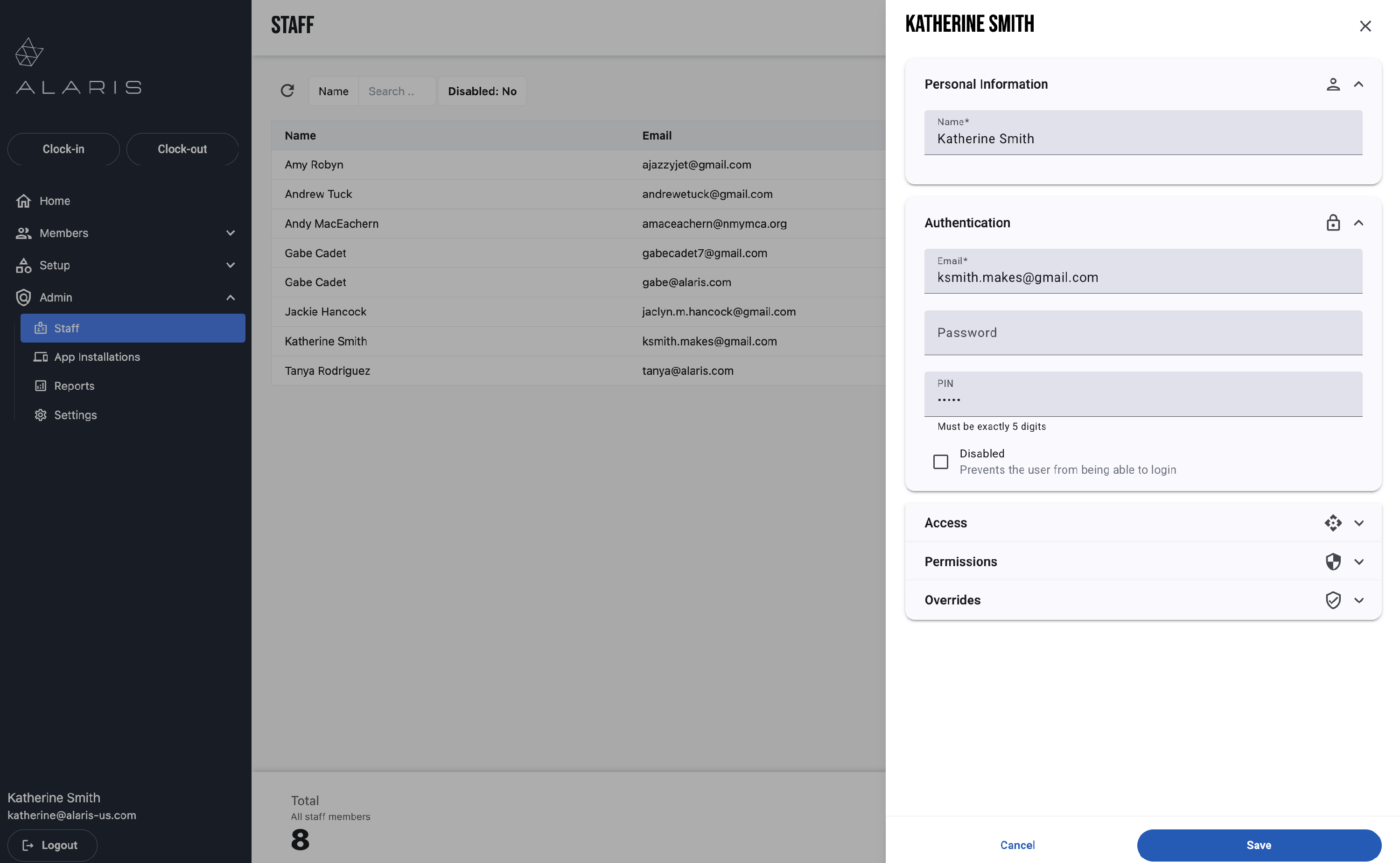
- Update the PIN. The PIN must be five digits.
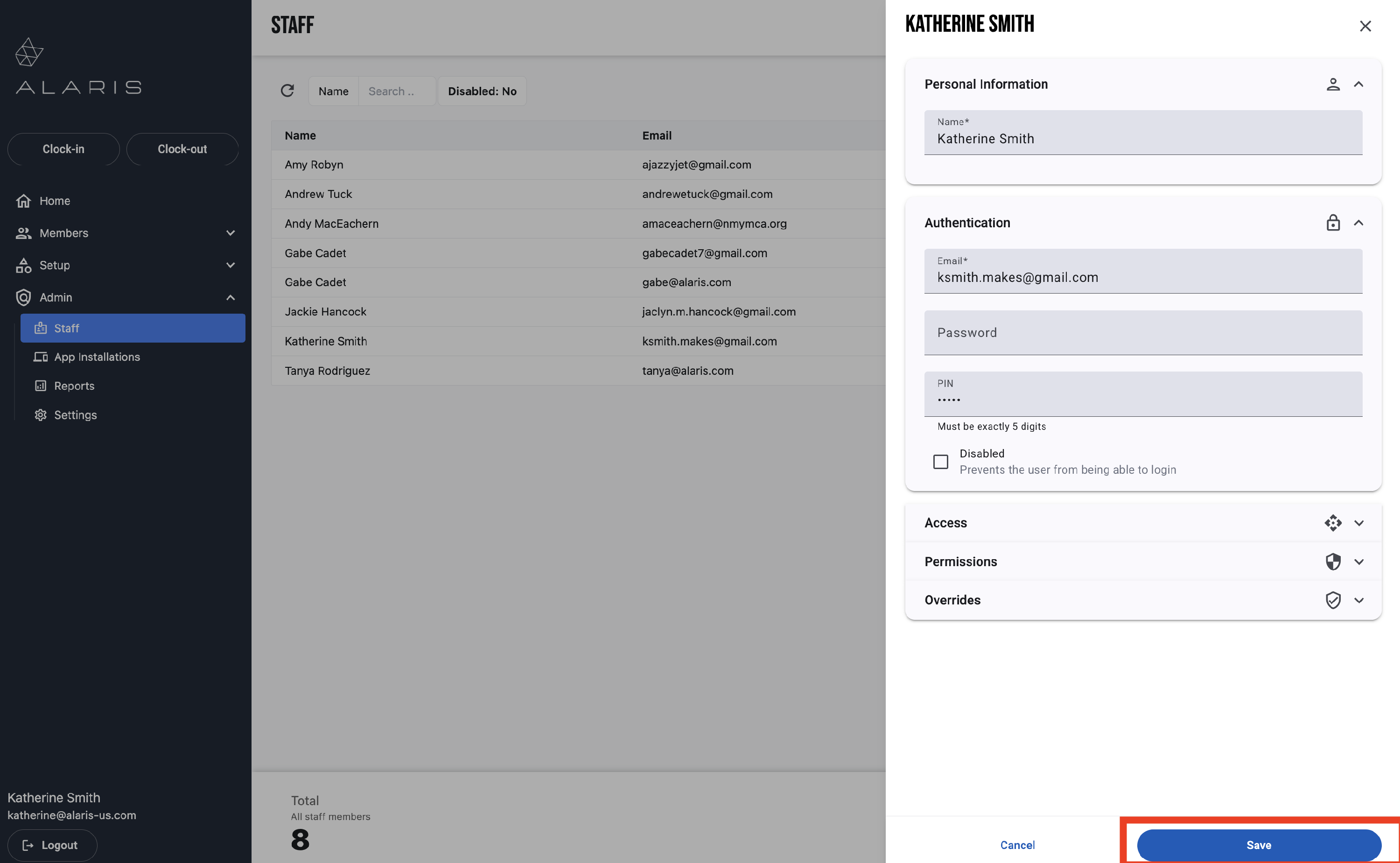
- Then, press Save.
- You are done! The PIN number has been updated. 🥳