
Modifying Session Schedules
Overview: This document will provide step-by-step instructions on how to modify the schedule of existing sessions in the Alaris Staff Web Portal.
Step-by-Step Instructions:
- First you will log in to the Alaris Staff Web Portal.
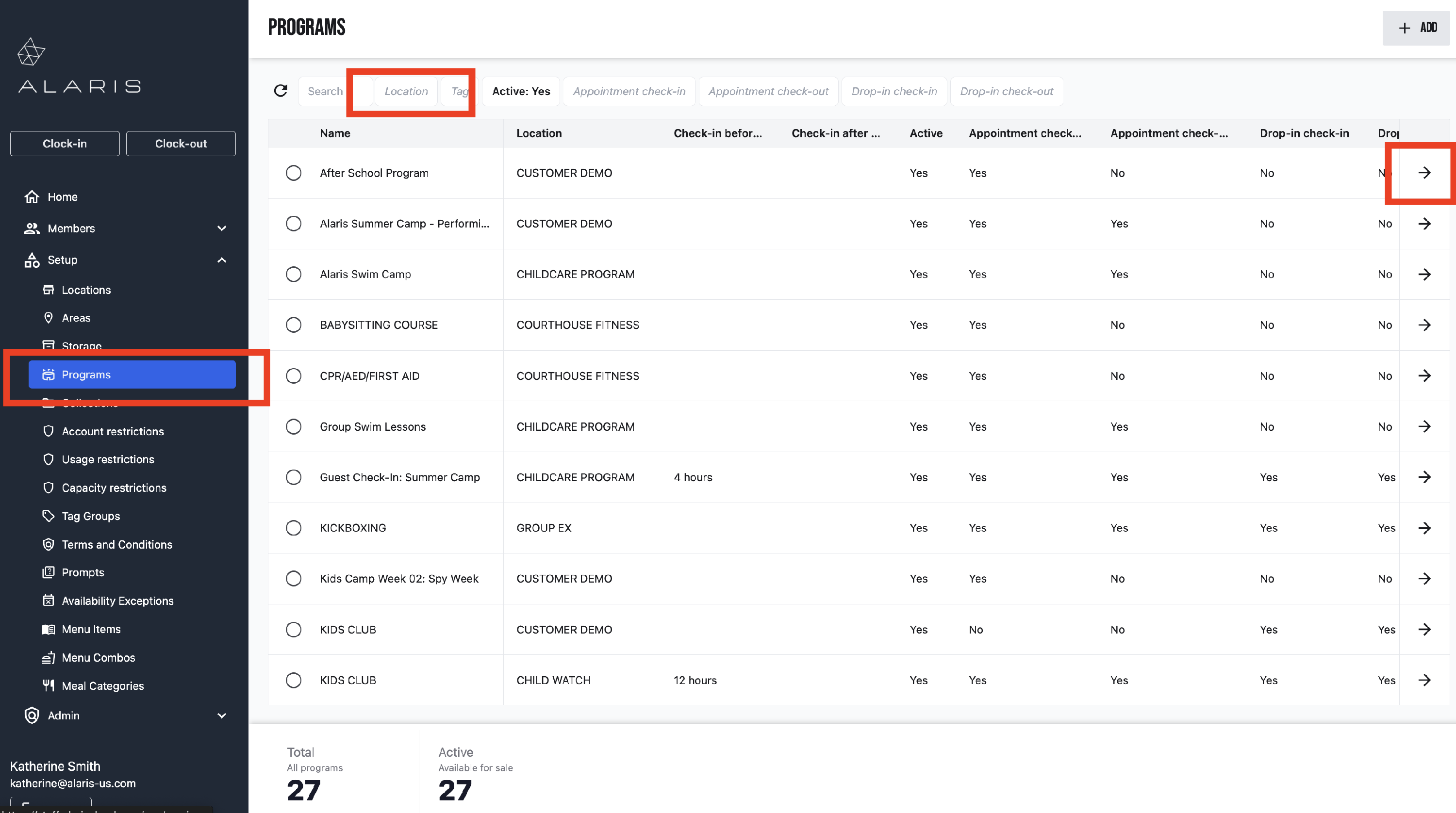
- Next, you will select Setup. Select Programs from the drop down menu.
- Filter this page by your facility Location. Then, select the arrow to open the sessions.
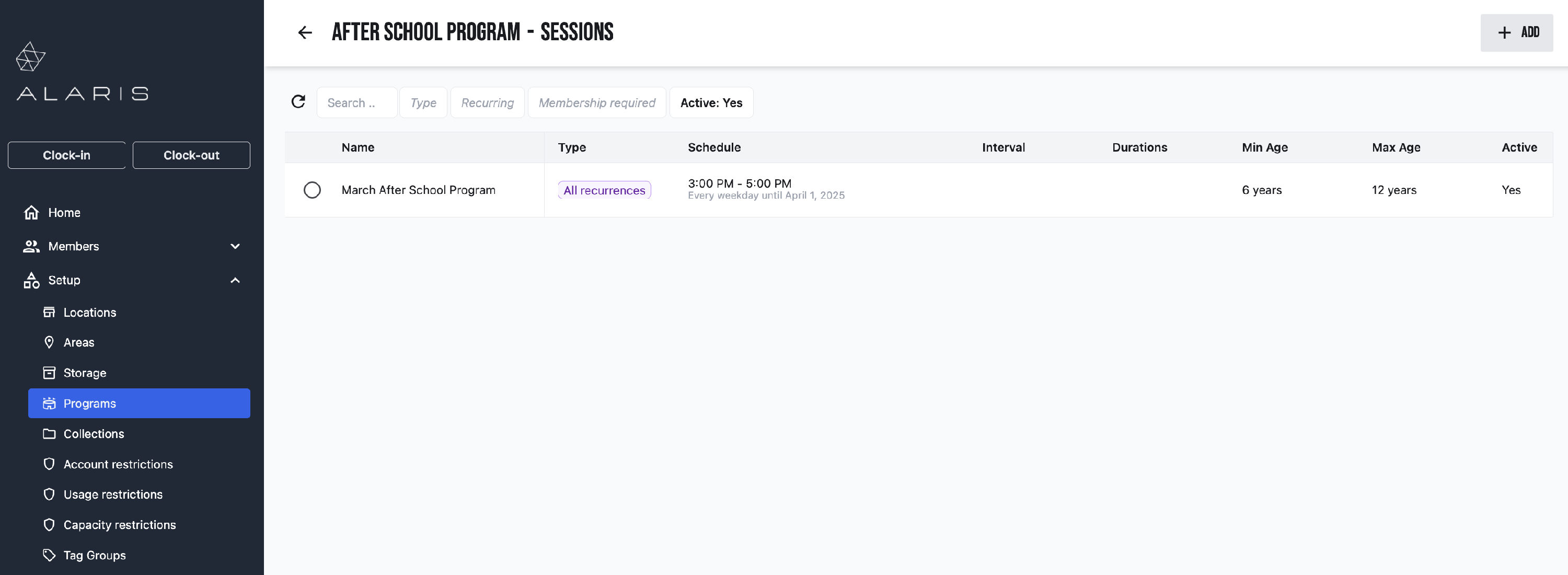
- Select the session you wish to modify.
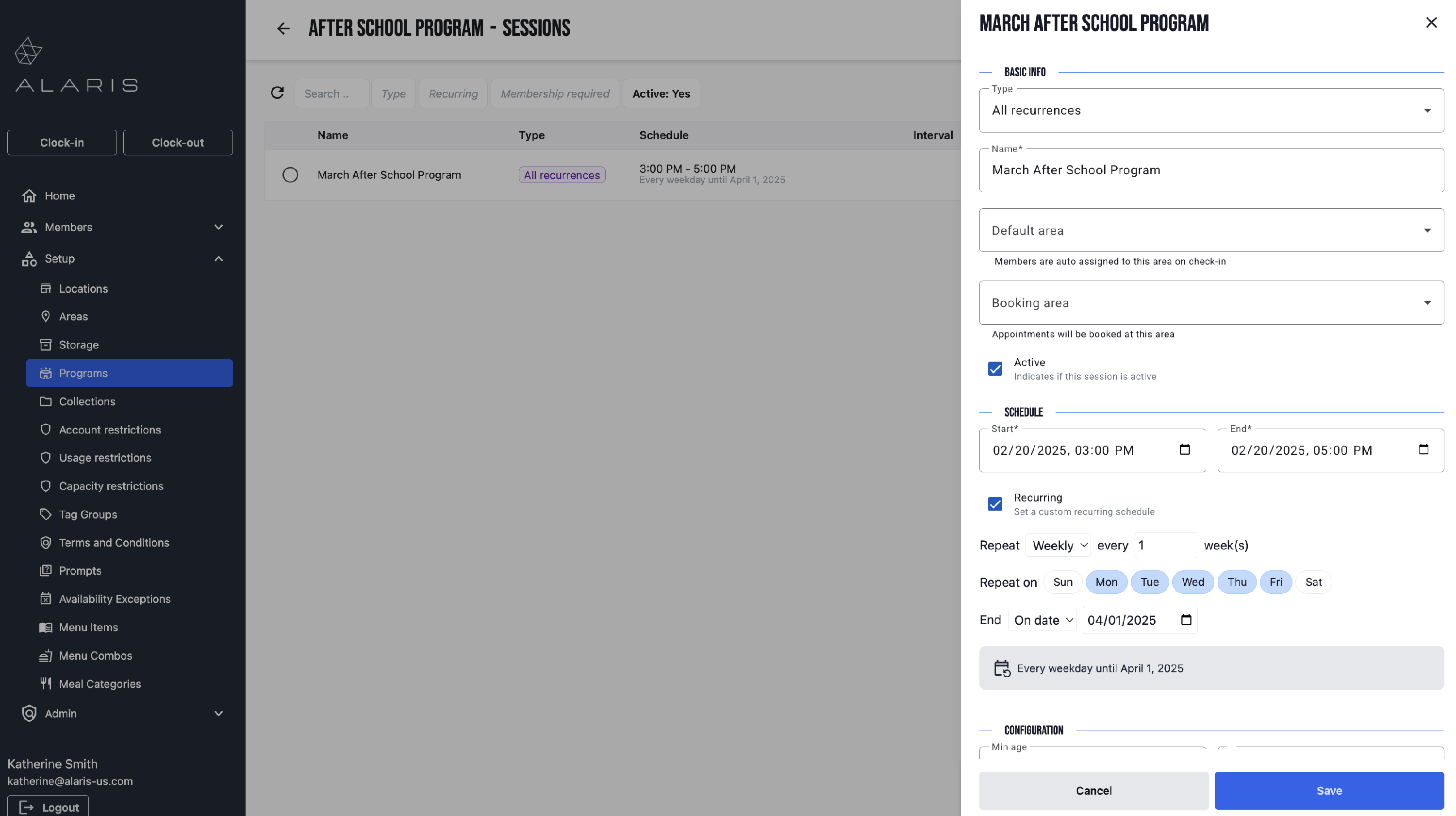
- A window will open to the right. Here you can change the date and time.
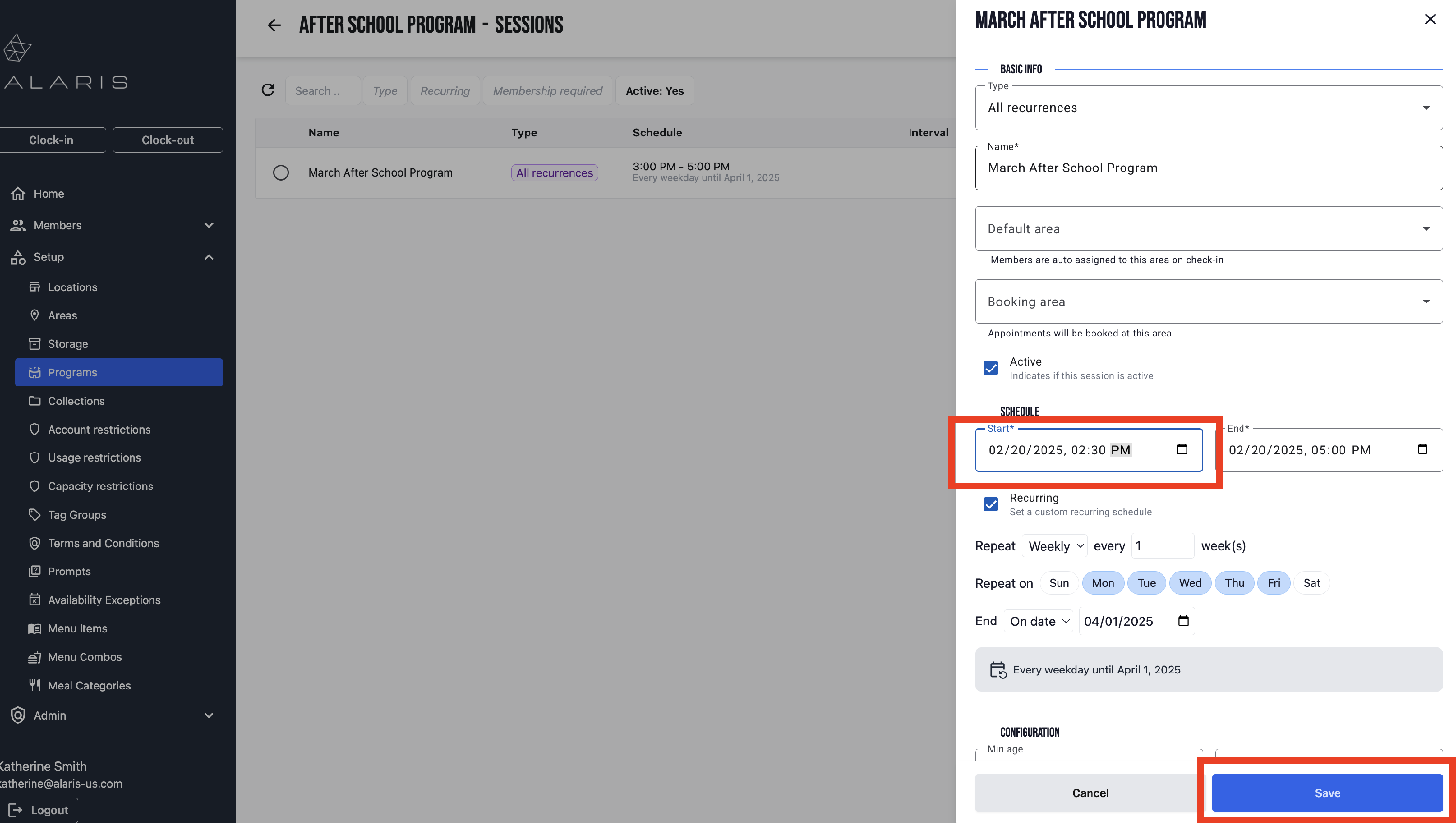
- Once you have changed the time, select Save. You're done! 🥳