
Submissions in Alaris Admin App
Overview: This article will guide you on creating a Submission in the Alaris Admin App
Step-by-step Instructions:
- You will first login to the Alaris Admin App.
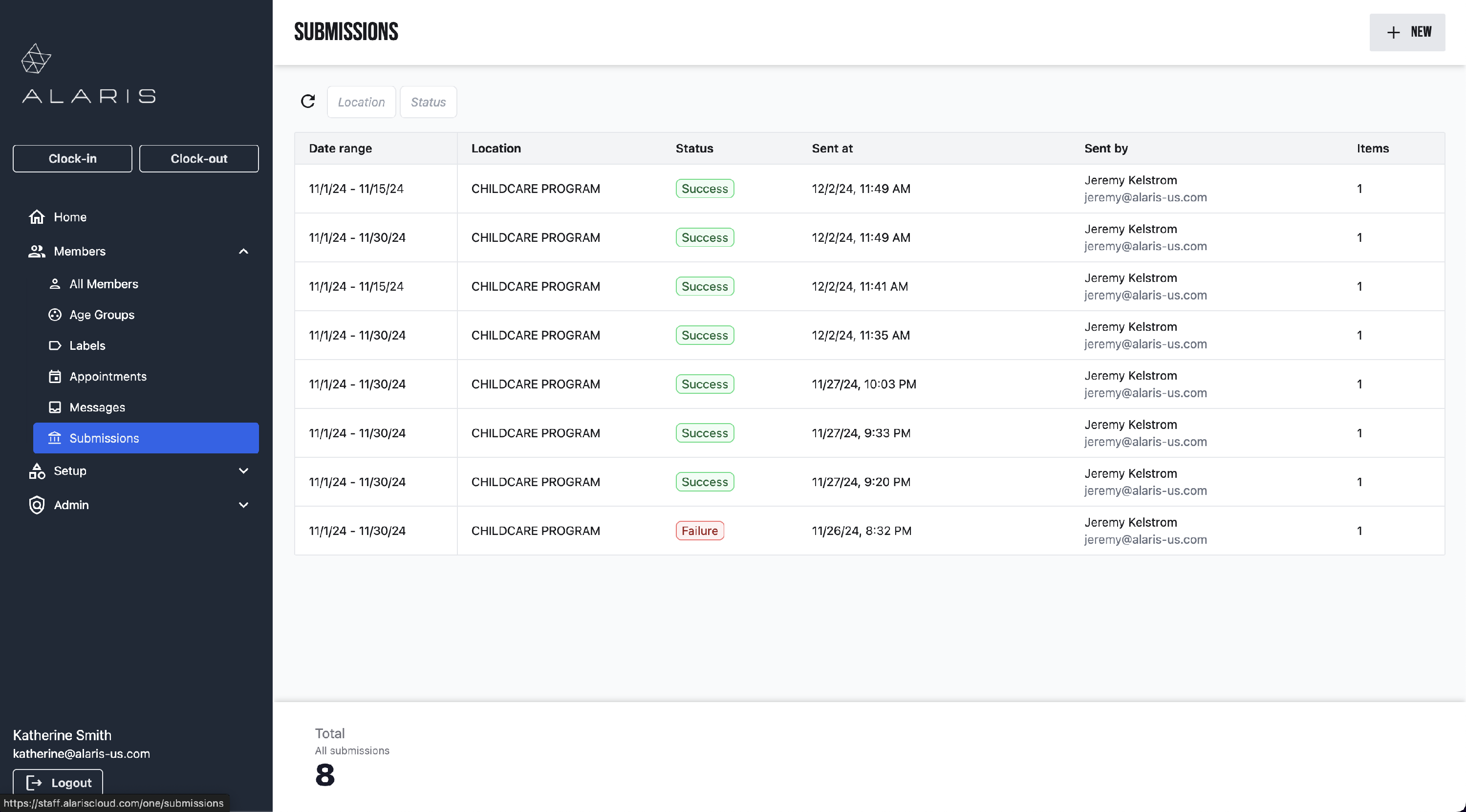
- Then, under the Members drop down menu, select Submissions.
- Here, you will select +New in the top right corner to create a new submission.
- Now you will apply your filters to the submission. You can select the location, date, and members who will be included in this submission.
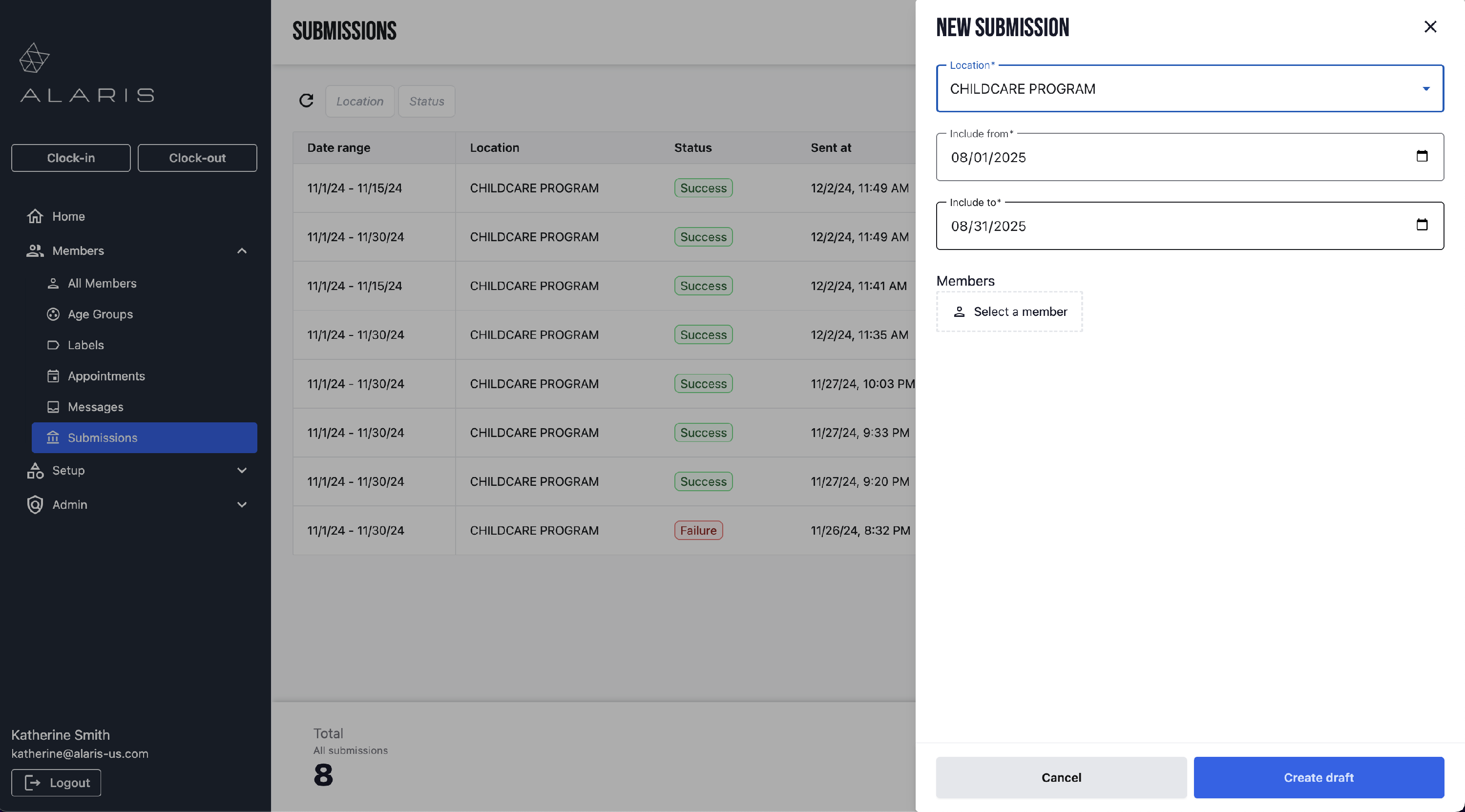
- Select Create Draft. Then, the draft will appear at the top of the list of submissions. You can click it, and select Submit when you are ready to send the submission.
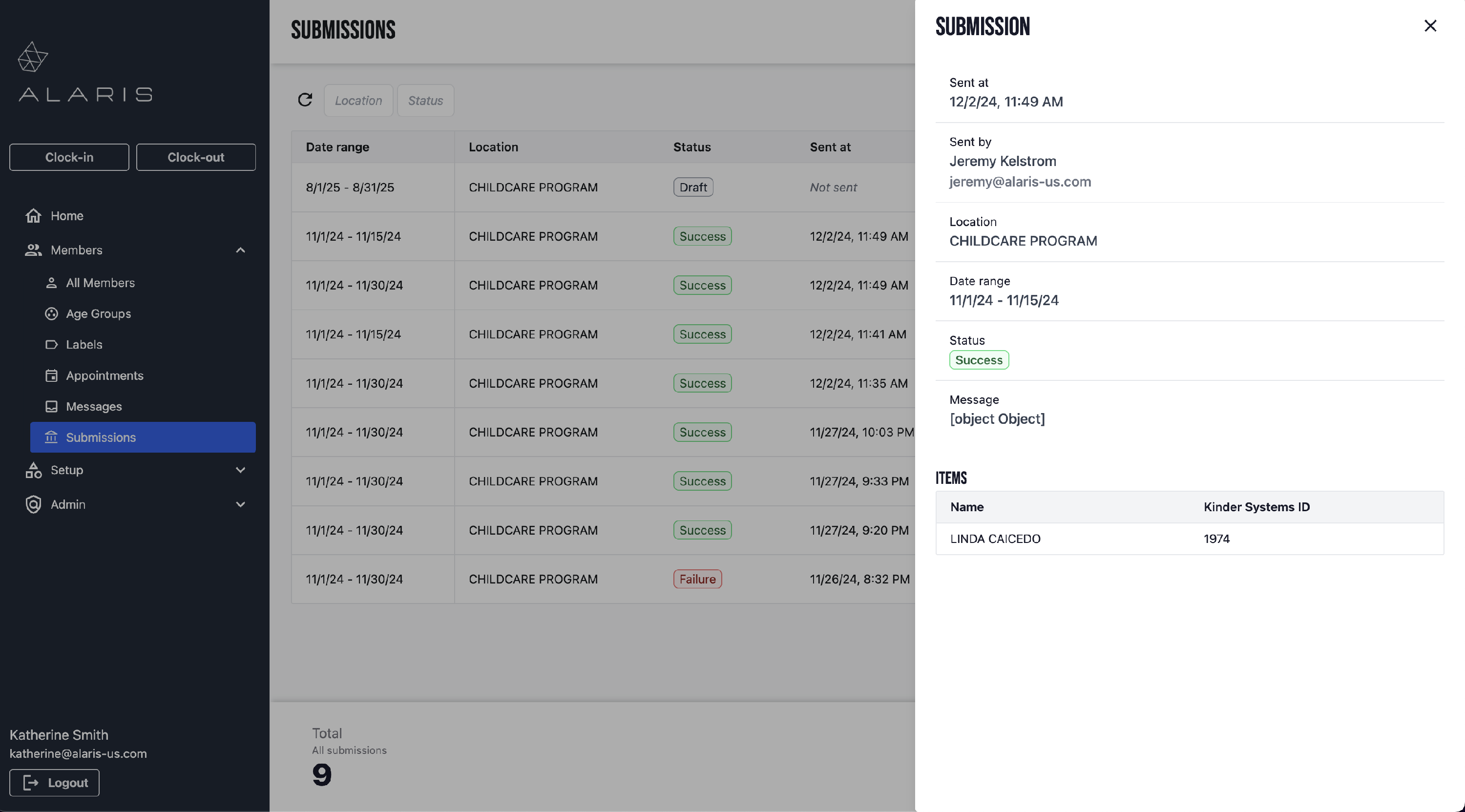
- Here is an example of what a completed Submission will look like:
- You're done! 🥳