
Adding Terms and Conditions to a Program in the Admin App
Overview:
In the Admin App, you can add Terms & Conditions to your programs to require your members to agree to your terms prior to booking programs.
Step-by-Step Instructions:
- First, log in to the Alaris Admin App.
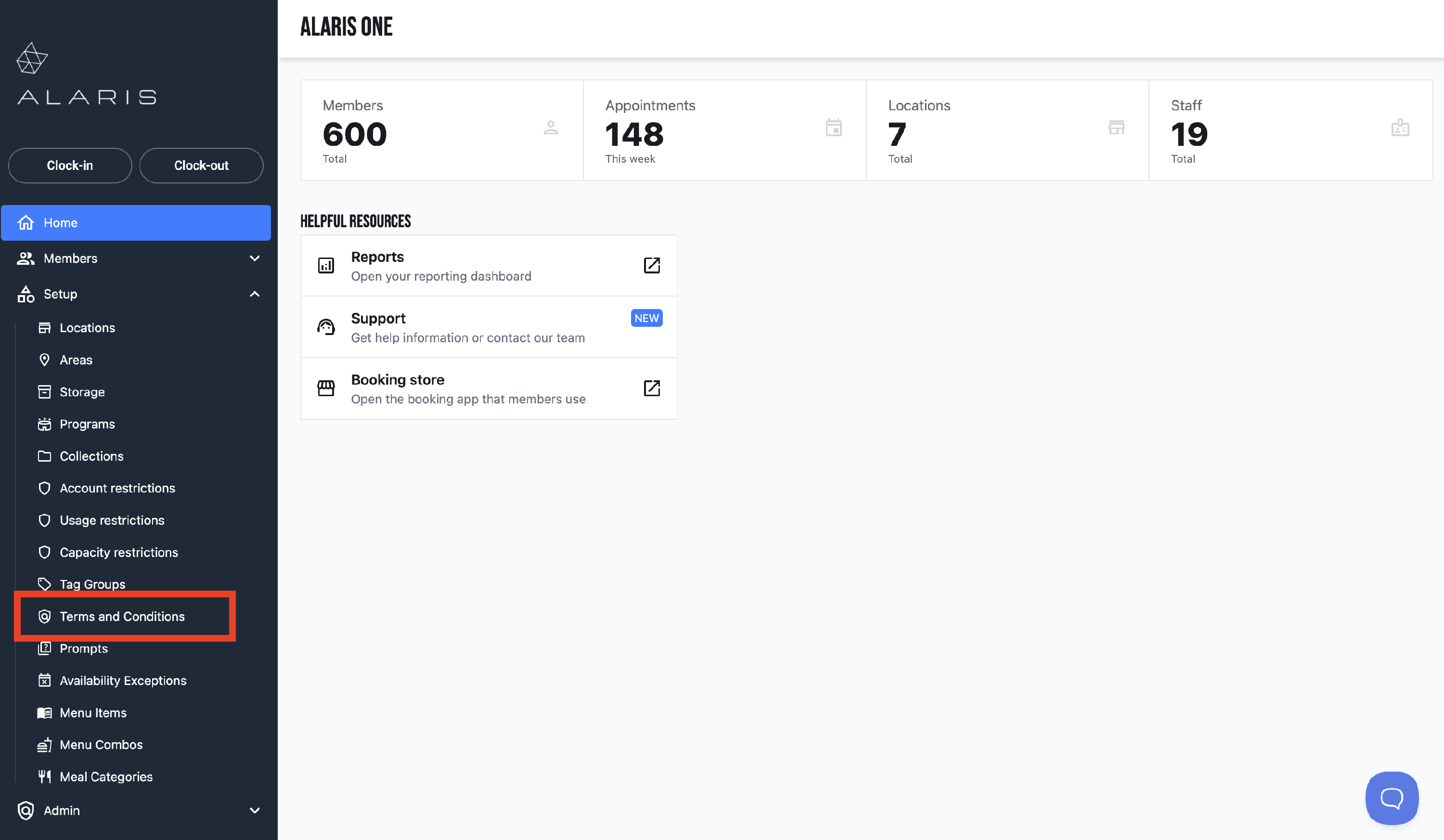
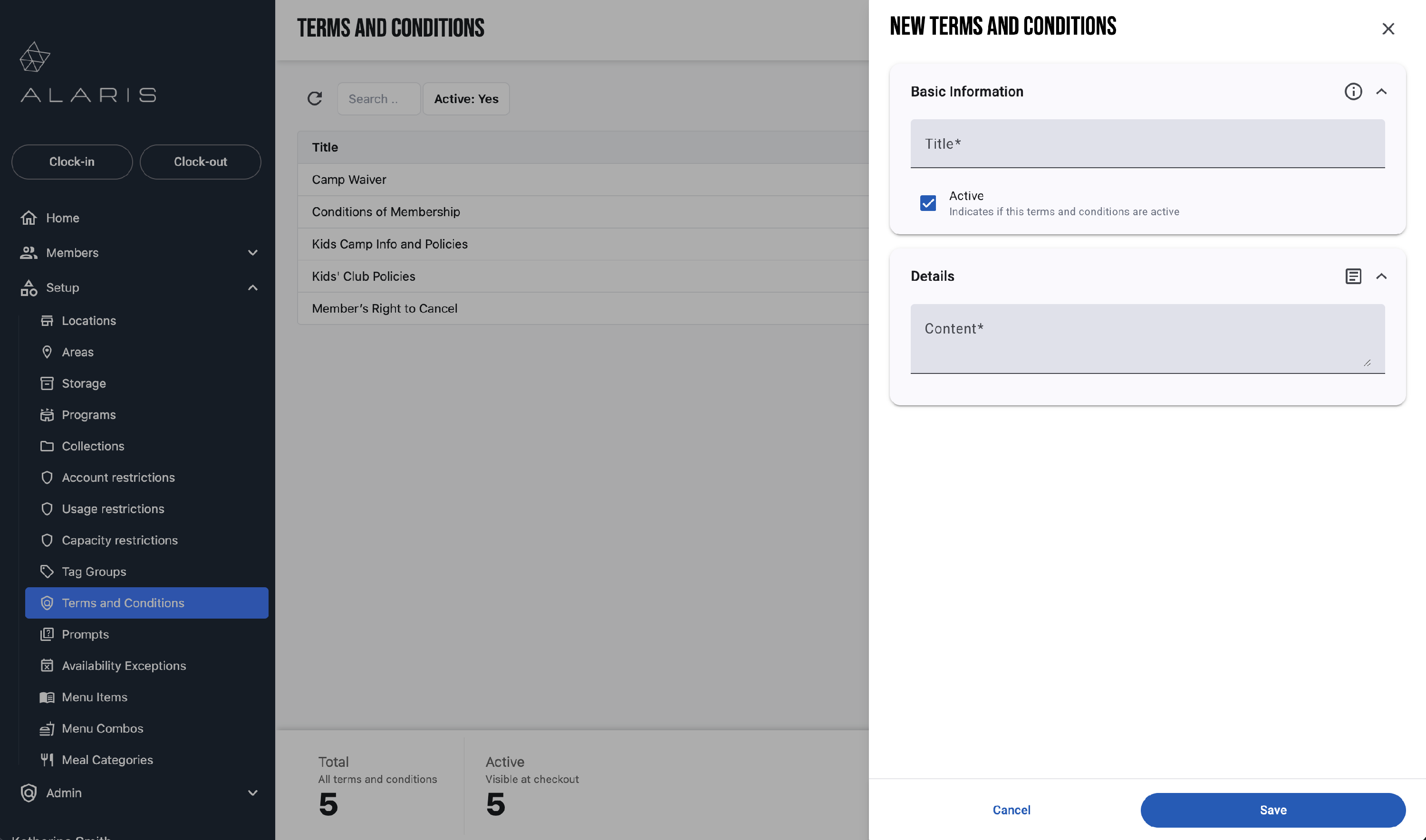
- Select Setup to the left of the screen.
- In the drop down menu, select Terms and Conditions.
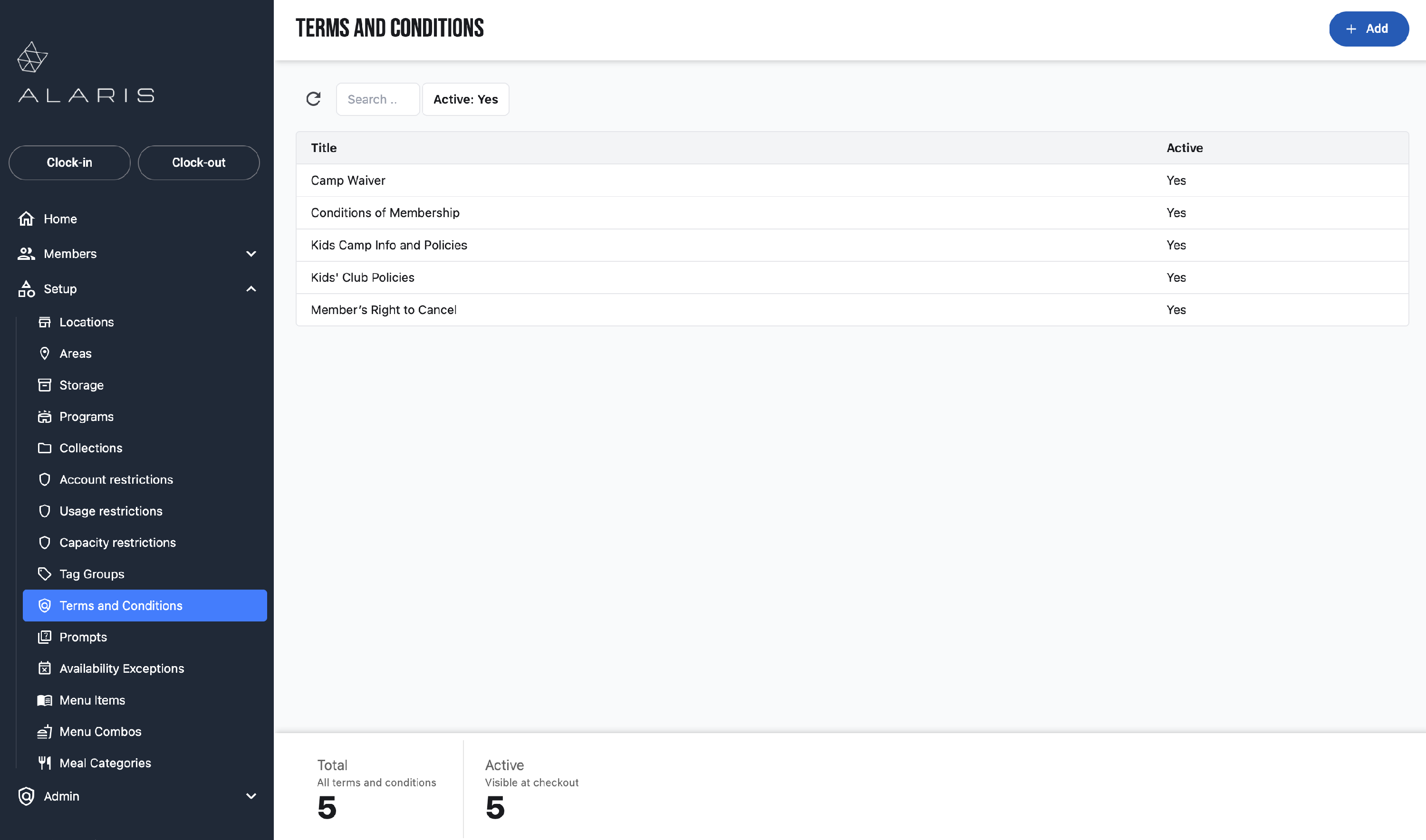
- Now, you can update a Terms and Condition that already exists, or you can create a new one.
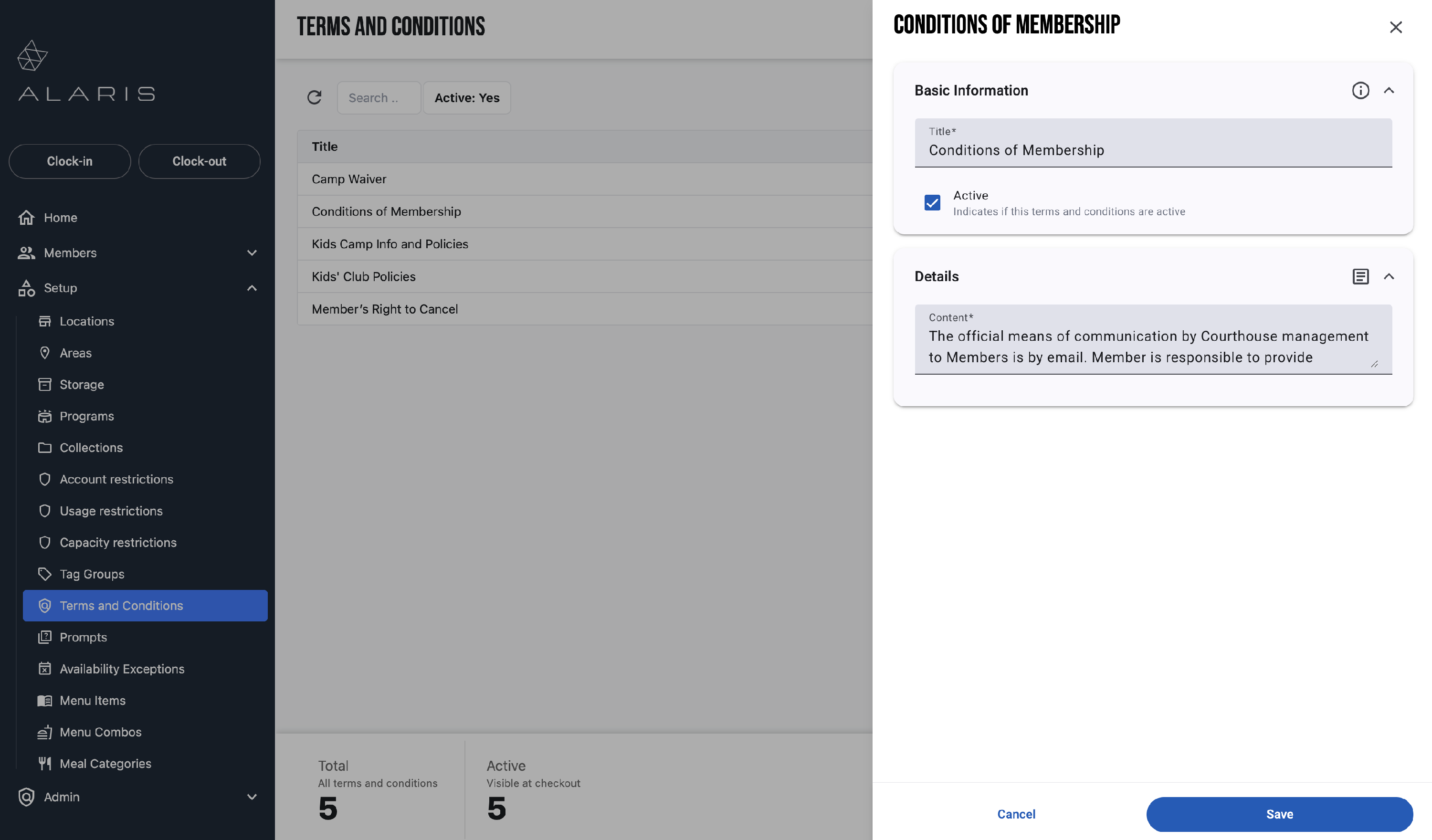
- To modify an existing one, just select it. A window will appear to the right that will allow you to modify it's details.
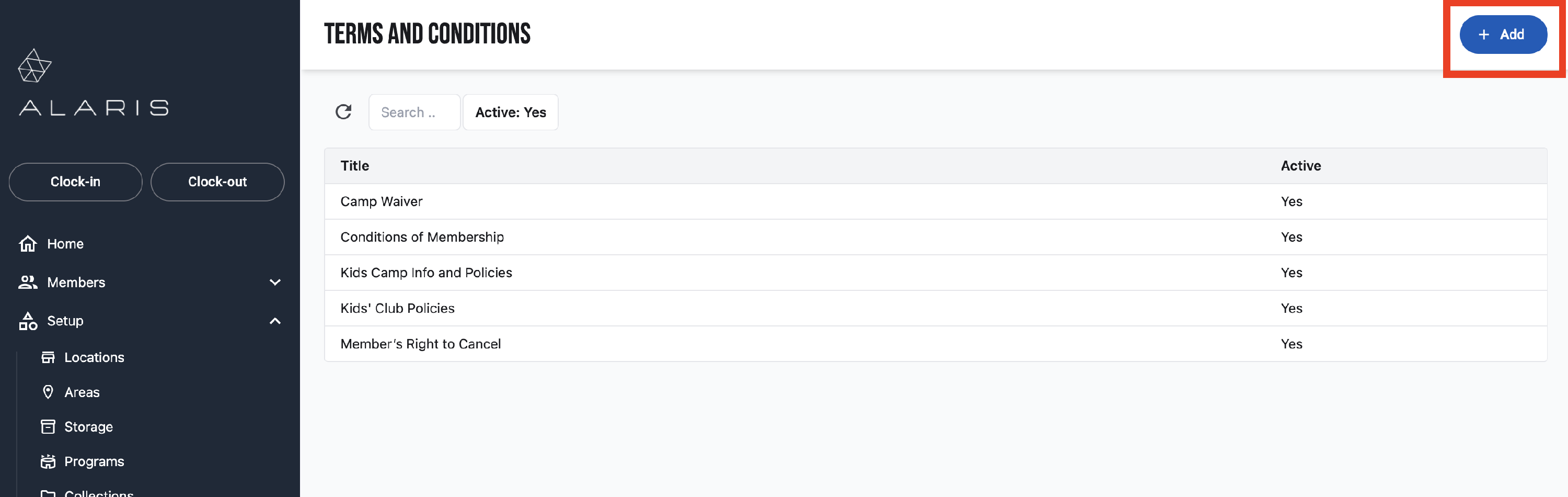
- To create new, select Add in the top right corner.
- A window will appear to the right. Here, you will create a Title, and then provide the Details for this condition.
- Make sure that it is set to Active.
- Press Save.
- You're done! 🥳